WorldBox – God Simulator PC
WorldBox – God Simulator PC lets you shape worlds, unleash natural disasters, create civilizations, and play god with limitless freedom in a dynamic sandbox universe.
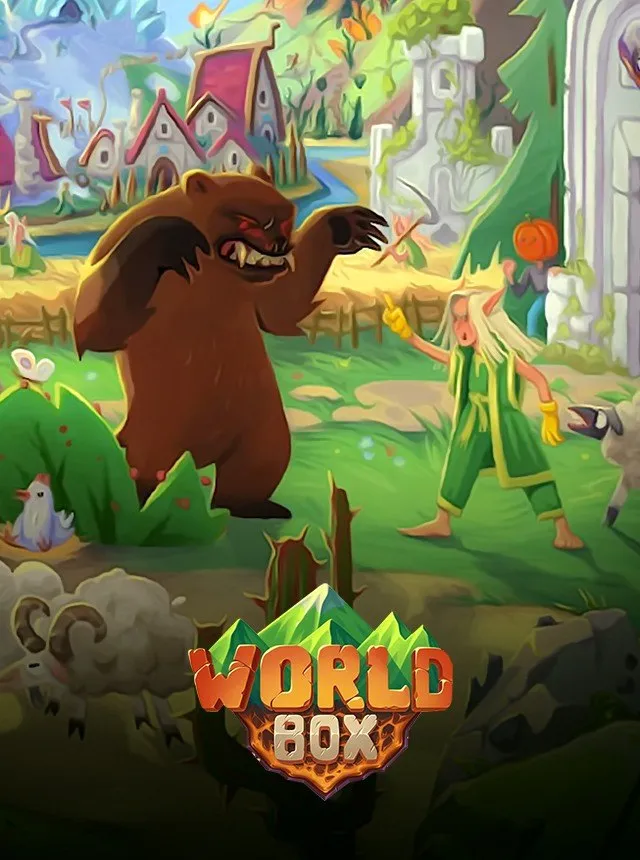
WorldBox – God Simulator PC puts the power of creation and destruction directly in your hands. While the game is available on multiple platforms, the PC version remains the original and most definitive way to experience its full potential. With precise mouse and keyboard controls, larger screen space, and superior performance, the PC edition ensures that every godly action you take whether shaping landscapes or commanding civilizations feels smooth, responsive, and immersive.
What sets WorldBox apart from other simulation games is its limitless sandbox gameplay. Players can design worlds, create civilizations, and guide them through growth, conflict, and survival. At any moment, you can step in as a benevolent creator or a merciless destroyer, using powers ranging from spawning life to unleashing meteors, tornadoes, and plagues. On PC, these mechanics shine brighter with enhanced features like mod support, bigger maps, and extended creative tools.
Since its launch, WorldBox has grown into more than just a game it has become an internet sensation. Millions of players and content creators share experiments, epic battles, and world-ending disasters across YouTube, Reddit, and Twitch. The PC community, in particular, has cultivated a vibrant modding scene that continuously expands the game’s possibilities. This enduring popularity and cultural footprint make WorldBox – God Simulator PC not just a game, but a global creative platform where imagination truly knows no limits.
Features
Limitless World Generation
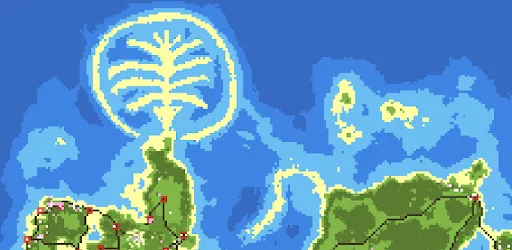
At the heart of WorldBox lies the ability to generate unique, procedurally crafted worlds. Players can create continents, islands, oceans, and mountain ranges, setting the stage for civilizations to thrive or collapse. The PC version supports larger maps, giving you more freedom to design expansive environments.
Civilizations with Evolving AI
Spawn humans, dwarves, elves, and orcs, and watch as they build villages, develop kingdoms, and fight for dominance. Each race has its own characteristics—elves thrive in forests, dwarves excel in mountains, and humans adapt to diverse terrains. The advanced AI ensures civilizations grow organically, wage wars, or form alliances without player intervention.
God-Like Powers at Your Command
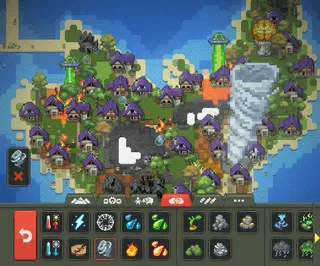
As the ultimate deity, you control creation and destruction. Summon rain to grow crops, unleash meteors to wipe out armies, or strike kingdoms with divine lightning. From natural disasters like earthquakes and tornadoes to fantastical powers like spawning dragons or UFOs, your toolbox of godly abilities is virtually endless.
Dynamic Ecosystem and Wildlife
The game features a living ecosystem filled with plants, animals, and mythical creatures. Wolves hunt deer, fish swim in rivers, and dragons dominate skies. Players can introduce new species, watch them adapt, or observe how predators and prey balance the natural order.
Pixel Art Visuals with Retro Charm
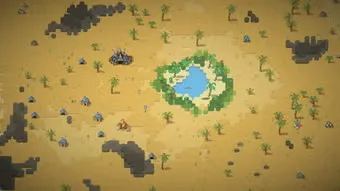
The nostalgic pixel-art style gives WorldBox a distinctive identity. Despite its simple design, every detail from growing villages to raging fires feels alive. The PC version enhances these visuals with smoother animations, larger displays, and improved rendering for immersive gameplay.
Disasters and Weather Control
Shape the destiny of your world by manipulating weather systems. Trigger rainstorms, snowfalls, or droughts to challenge civilizations. For destructive fun, unleash floods, volcanic eruptions, or acid rain to test the resilience of your creations.
Rich History and Kingdom Timelines
WorldBox goes beyond simple simulation by documenting every detail of civilization history. Players can explore timelines showing how kingdoms rose and fell, track population growth, or study family trees of rulers. This feature provides depth and narrative to the evolving sandbox.
Customizable Scenarios and Experiments
On PC, players can take advantage of customization tools to design unique scenarios. Whether it’s recreating historical battles, experimenting with fantasy worlds, or simulating end-of-the-world scenarios, the sandbox tools allow endless replayability.
Modding Support for Endless Creativity
The PC community has built a thriving modding scene. Mods add new races, powers, and mechanics, transforming the base game into a limitless playground. This makes the PC version superior, as mobile players miss out on these community-driven expansions.
Frequent Updates and Expansions
WorldBox is continuously evolving, thanks to regular updates from its developer, Maxim Karpenko. Each update introduces new creatures, powers, or game mechanics that keep the experience fresh and engaging. The dedication to ongoing development ensures the PC version stays at the cutting edge of sandbox simulation.
How to Download WorldBox – God Simulator on PC?
- Click the Download button on this page to safely get the latest PC build.
- Choose your platform (Windows recommended; Mac/Linux may also be available if listed).
- When prompted, Save the file to an easy location (e.g., Downloads or Desktop).
- If the file is a .zip (or .rar), right-click it and select Extract All… to a new folder.
- Open the extracted folder and double-click
WorldBox – God Simulator PC.exeto launch. - If Windows SmartScreen appears, click More info → Run anyway (only proceed if you downloaded from the button on this page).
- Optional: right-click the .exe and choose Create shortcut to pin it to Start/Desktop.
- In Options/Settings, set fullscreen/windowed, audio levels, and keybinds (WASD/Arrows).
- For future updates, return to this page and click the Download button again, then replace your old game folder with the new one.
System Requirements
| Component | Minimum Requirements | Recommended Requirements |
|---|---|---|
| OS | Windows 7/8/10 (64-bit) | Windows 10/11 (64-bit) |
| Processor | Intel Core i3 or equivalent | Intel Core i5 or higher |
| Memory | 4 GB RAM | 8 GB RAM |
| Graphics | Integrated Graphics | Dedicated GPU (NVIDIA/AMD) |
| Storage | 500 MB free space | 1 GB free space |
| DirectX | Version 11 | Version 11 or later |
How to Play WorldBox – God Simulator on PC?
Playing WorldBox – God Simulator PC begins with generating a new world. Once the map loads, you’ll have access to a wide range of godly powers neatly organized in a toolbar. Using your mouse, you can easily select tools to shape terrain, spawn creatures, or establish civilizations. For beginners, the best way to start is by placing humans, elves, or dwarves on fertile land near rivers and forests, then sitting back to observe how they build homes, farm resources, and slowly grow into thriving kingdoms. The intuitive mouse-and-keyboard controls make it simple to zoom, pan, and switch between powers, giving you complete command over your virtual universe.
As you grow more confident, you can experiment with the destructive side of WorldBox. Test civilizations by unleashing natural disasters such as volcanoes, plagues, or tornadoes. Introduce mythical creatures like dragons or demons and watch how kingdoms adapt to survive. The PC version also allows deeper experimentation with mods, letting players design custom scenarios and add new powers beyond the base game. Whether you want to nurture peaceful societies or destroy everything in spectacular chaos, the joy of WorldBox lies in the endless freedom it provides.
Why Play WorldBox – God Simulator on PC?
The PC version of WorldBox – God Simulator delivers the most complete and immersive way to experience the game. With enhanced graphics, smooth performance, and precise mouse-and-keyboard controls, every action feels more natural and responsive. The larger screen real estate lets you monitor civilizations in detail, track battles, and manage entire continents without the limitations of smaller devices. Players can also enjoy multitasking while gaming switching between mods, guides, or community forums seamlessly.
Beyond convenience, the PC edition offers features that truly set it apart. Unlike mobile versions, the PC release supports mods, giving players access to endless custom content and new gameplay mechanics. There’s no battery drain, no performance throttling, and cross-platform syncing ensures your progress is never lost. Whether you want to build epic kingdoms or trigger world-ending disasters, playing WorldBox on PC guarantees an unlimited, uninterrupted sandbox experience.
FAQs
Is WorldBox – God Simulator free on PC?
Yes, WorldBox offers a free version with core gameplay features. However, the premium edition unlocks additional powers, customization tools, and advanced world-building options. The PC version often includes more content compared to mobile, making it the best platform for the full experience.
How do I download WorldBox for PC?
You can download WorldBox – God Simulator PC safely by clicking the Download button on this page. Once downloaded, simply install the game by following the setup instructions, and you’ll be ready to create and destroy worlds in minutes.
Can I play WorldBox offline on my computer?
Absolutely. WorldBox does not require a constant internet connection, so you can enjoy the game offline. This makes it perfect for long creative sessions without worrying about connectivity issues.
Does WorldBox support mods on PC?
Yes, one of the major advantages of the PC version is mod support. Players can install community-made mods that add new powers, creatures, civilizations, and even entirely new gameplay mechanics, greatly expanding replayability.
Will WorldBox run on a low-end PC?
WorldBox is lightweight and optimized, designed to run smoothly even on older or budget-friendly systems. If your computer meets the basic requirements (4 GB RAM, integrated graphics), you’ll be able to enjoy the game without lag.
How often does WorldBox receive updates?
The developer, Maxim Karpenko, regularly pushes out updates that introduce new creatures, powers, and performance improvements. The PC version receives these updates quickly, keeping the gameplay fresh and exciting.
Is there multiplayer in WorldBox – God Simulator PC?
Currently, WorldBox is a single-player simulation. However, players share their custom worlds, scenarios, and experiments online through forums, YouTube, and the modding community, making it a highly social experience despite being offline.
Conclusion
WorldBox – God Simulator PC is the ultimate sandbox experience for players who love creativity, strategy, and freedom. With its unique blend of civilization growth, godly powers, and endless experimentation, the PC version stands as the definitive way to enjoy the game. From mod support and larger maps to smooth controls and powerful performance, it offers features you won’t find anywhere else. Whether you want to build thriving kingdoms or unleash catastrophic destruction, the choice is yours. Click the Download button on this page and start shaping your own pixelated universe today.