Diablo Immortal PC
Battle the forces of hell in Diablo Immortal PC. Explore dark dungeons, slay demons, collect epic loot, and join allies in this action-packed RPG adventure.
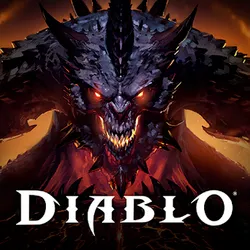
Diablo Immortal PC represents Blizzard Entertainment’s bold move to bring the world of Sanctuary to the platform where the franchise feels most at home. While originally announced as a mobile-first title, the PC version has quickly proven itself to be the definitive way to experience Diablo’s signature hack-and-slash combat. With the power of high-end hardware and the precision of keyboard and mouse, the PC version ensures players get the most authentic and fluid action RPG experience possible.
What sets Diablo Immortal on PC apart is the level of freedom and customization it offers. Players can fine-tune graphical settings for smoother framerates, map skills to preferred hotkeys, and take advantage of advanced PC hardware for an optimized gaming experience. Whether you prefer grinding dungeons solo, teaming up in co-op raids, or dominating PvP battlegrounds, the PC version delivers the flexibility and performance to adapt perfectly to your playstyle.
Beyond the gameplay, Diablo Immortal PC has sparked a wave of cultural influence, especially among dedicated PC communities. From guides and builds to fan mods and streaming highlights, the game has carved out a viral presence across forums and social media. Just like its predecessors, it continues the Diablo legacy by combining rich lore with fast-paced combat, ensuring it remains both a modern favorite and a lasting phenomenon in the RPG landscape.
Features
Cross-Platform Play and Progression
One of the standout features of Diablo Immortal PC is its ability to sync seamlessly across platforms. By linking your Battle.net account, you can switch between PC and mobile without losing progress. This flexibility allows you to continue your adventure anywhere while enjoying the superior PC experience at home.
Enhanced PC Graphics and Visuals
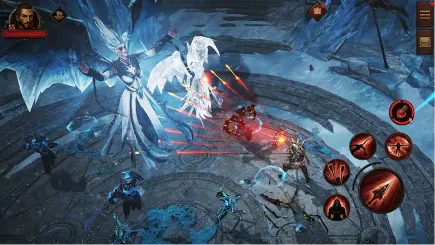
The PC version takes full advantage of modern hardware, offering up to 4K resolution, improved textures, and higher frame rates. Players can witness stunning spell effects, detailed environments, and smooth animations that make every dungeon crawl more immersive.
Precise Keyboard and Mouse Controls
Unlike mobile touch controls, Diablo Immortal PC provides the precision of a mouse for targeting enemies and hotkey mapping for skills. This ensures faster reactions in combat, smoother navigation, and greater mastery during PvP battles and raids.
Six Distinct Character Classes
Diablo Immortal PC lets you choose from six legendary classes: Barbarian, Crusader, Demon Hunter, Monk, Necromancer, and Wizard. Each class offers unique combat styles, abilities, and builds, giving players the freedom to experiment with different strategies.
Epic Dungeons and Raids
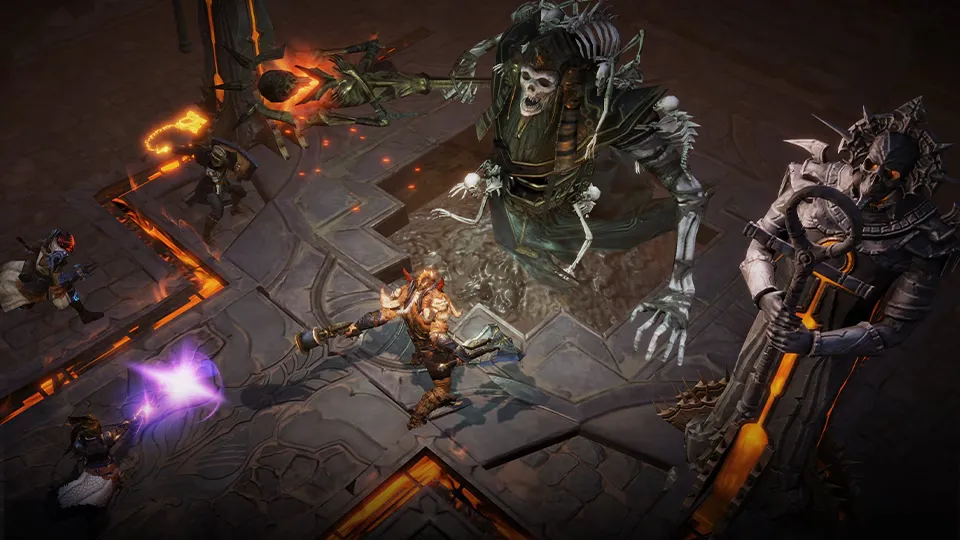
The game’s dungeons are packed with powerful enemies, traps, and legendary bosses. On PC, these large-scale encounters are even more thrilling thanks to enhanced graphics and fluid gameplay. Raids allow teams of players to test their skills together for rare rewards.
Competitive PvP Battlegrounds
For players seeking a challenge, Diablo Immortal PC offers intense PvP modes. Engage in faction wars between Shadows and Immortals, or fight for supremacy in the Battlegrounds. PC controls give you a significant edge in accuracy and quick decision-making during these matches.
Legendary Gear and Loot System
The loot grind has always been at the heart of Diablo, and Immortal continues this legacy. Players can hunt for legendary weapons, armor, and gems that not only enhance power but also unlock unique abilities. PC players can enjoy faster inventory management and clearer visuals when customizing gear.
Social Systems and Guilds
Diablo Immortal PC thrives on community interaction. Players can join clans, participate in guild activities, and cooperate in raids. These systems encourage teamwork, competition, and social bonds, turning Sanctuary into a shared, living world.
Seasonal Battle Pass and Events
Blizzard keeps the game fresh with seasonal updates, limited-time events, and a rotating Battle Pass system. These additions reward active players with exclusive gear, cosmetics, and progression boosts, ensuring there’s always something new to strive for.
Free-to-Play Accessibility
Perhaps the most attractive feature is that Diablo Immortal PC is free to download and play. While optional purchases exist for cosmetics and progression items, the core experience remains accessible to all players, offering hundreds of hours of content without any cost.
How to Download Diablo Immortal on PC?
- Click the Download button on this page to safely get the latest PC build.
- Choose your platform (Windows recommended; Mac/Linux may also be available if listed).
- When prompted, Save the file to an easy location (e.g., Downloads or Desktop).
- If the file is a .zip (or .rar), right-click it and select Extract All… to a new folder.
- Open the extracted folder and double-click
Diablo Immortal PC.exeto launch. - If Windows SmartScreen appears, click More info → Run anyway (only proceed if you downloaded from the button on this page).
- Optional: right-click the .exe and choose Create shortcut to pin it to Start/Desktop.
- In Options/Settings, set fullscreen/windowed, audio levels, and keybinds (WASD/Arrows).
- For future updates, return to this page and click the Download button again, then replace your old game folder with the new one.
System Requirements
| Category | Minimum Requirements | Recommended Requirements |
|---|---|---|
| OS | Windows 7 64-bit | Windows 10/11 64-bit |
| Processor | Intel Core i3 or AMD FX-4100 | Intel Core i5 / AMD Ryzen 5 |
| Memory (RAM) | 4 GB | 8 GB or more |
| Graphics | NVIDIA GeForce GTX 460 / AMD Radeon HD 6850 | NVIDIA GTX 770 / AMD Radeon RX 470 |
| DirectX | Version 11 | Version 12 |
| Storage | 24 GB free space | 24 GB SSD (recommended for faster loading) |
| Internet | Broadband Connection | Broadband Connection |
How to Play Diablo Immortal on PC?
Playing Diablo Immortal on PC is designed to feel smooth, intuitive, and immersive. After downloading the game through Battle.net, players can log in, select their class, and immediately dive into Sanctuary’s dark and dangerous world. The WASD keys allow fluid movement across environments, while the mouse is used for precision targeting, attacks, and skill execution. Hotkeys can be fully customized, letting you assign healing potions, ultimate abilities, or special skills to keys that match your playstyle. This flexibility ensures every player, whether a beginner or veteran, can find a control setup that feels natural.
In addition to controls, the PC version enhances gameplay with features that make combat and exploration far more rewarding. Players can take advantage of voice chat integration to coordinate with teammates during raids or PvP battles, ensuring smoother teamwork. The larger screen and improved graphics make it easier to spot hidden enemies, dodge attacks, and fully appreciate the visual detail of the world. With optimized framerates and cross-platform syncing, Diablo Immortal PC guarantees a seamless, action-packed adventure every time you log in, whether you’re grinding dungeons solo or joining guildmates for an epic raid.
Why Play Diablo Immortal on PC?
Playing Diablo Immortal on PC delivers a superior experience compared to mobile, thanks to enhanced visuals, smoother performance, and larger screen immersion. High-definition graphics bring Sanctuary’s dark world to life, while optimized framerates ensure fluid combat. The precision of keyboard and mouse controls allows faster reactions in dungeons and PvP, giving players a competitive edge. Unlike mobile devices, PC gaming eliminates distractions and provides uninterrupted gameplay without worrying about battery drain or overheating.
Another major advantage of Diablo Immortal PC is convenience and flexibility. With cross-platform progress syncing through Battle.net, you can seamlessly switch between PC and mobile without losing achievements, characters, or loot. The PC setup also supports multitasking, letting players stream, chat, or access guides while playing. Combined with the social features like clans, raids, and guild systems, the PC version is the definitive way to enjoy Diablo Immortal to its fullest.
FAQs
Is Diablo Immortal PC free to play?
Yes. Diablo Immortal PC is completely free-to-play. You can download the game through Battle.net at no cost. While the game includes optional in-game purchases for cosmetics, items, or boosts, the core adventure, dungeons, and PvP modes are fully accessible without spending money.
How do I download Diablo Immortal on PC?
To download the game, simply click the Download button on this page, which redirects to Blizzard’s official Battle.net client. Install Battle.net, log in with your account, and search for Diablo Immortal in your library. With one click, you can install and start playing the PC version safely.
Can I transfer progress between mobile and PC?
Absolutely. Diablo Immortal supports cross-platform progression. All progress, characters, loot, and achievements are tied to your Battle.net account, meaning you can freely switch between mobile and PC without losing any progress.
What classes can I play in Diablo Immortal PC?
Diablo Immortal PC offers six playable classes: Barbarian, Crusader, Demon Hunter, Monk, Necromancer, and Wizard. Each class has a unique playstyle, allowing players to choose between melee powerhouses, ranged specialists, or spellcasters.
Does Diablo Immortal PC support controllers?
Yes. Alongside keyboard and mouse, Diablo Immortal PC also supports popular controllers such as Xbox and PlayStation gamepads. This allows players to enjoy the game in whichever control style they find most comfortable.
How much storage does Diablo Immortal PC require?
The PC version requires about 24 GB of free space for installation. For smoother performance and faster load times, it’s recommended to install the game on an SSD instead of a standard hard drive.
Can I play Diablo Immortal PC offline?
No. Diablo Immortal requires an active internet connection at all times. The game features online servers for dungeons, raids, PvP battles, and cross-platform syncing, so offline play is not available.
Conclusion
Diablo Immortal PC stands out as the ultimate way to experience Blizzard’s action-packed RPG universe. With stunning graphics, seamless cross-platform syncing, and the precision of keyboard and mouse controls, it transforms every dungeon crawl and PvP battle into a thrilling adventure. The game’s free-to-play accessibility, regular updates, and strong community make it a must-play for both new and veteran Diablo fans. Whether you’re exploring Sanctuary solo or raiding with friends, the PC version delivers the most immersive and rewarding experience. Click the Download button on this page today and start your Diablo Immortal journey on PC!