Roblox PC
Play, create, and explore in Roblox PC! Download the Roblox PC version to enjoy endless games, better graphics, and cross-platform fun on your computer.
If you’re a fan of open-world gaming, creativity, and community-driven adventures, then Roblox PC is the game that deserves a spot on your computer. Originally launched in 2006 by Roblox Corporation, this massively multiplayer online platform allows players to play, build, and share their own games with millions of users worldwide. Today, Roblox has become one of the most popular online gaming ecosystems, with over 200 million active monthly players, making it a global phenomenon across all age groups.
Unlike traditional video games, Roblox on PC offers an experience that blends gaming with game development. Players can create immersive worlds using Roblox Studio, a powerful yet user-friendly tool that lets you bring your imagination to life. From racing games and adventure simulators to fashion tycoons and obstacle courses, there’s a Roblox world for everyone.
Whether you want to play Roblox on your computer, join millions of players in real-time adventures, or even create your own mini-games, this is the ultimate hub of creativity. It’s time to dive in and download Roblox PC to start your own adventure in this ever-growing metaverse.
Features
Immersive Multiplayer Worlds
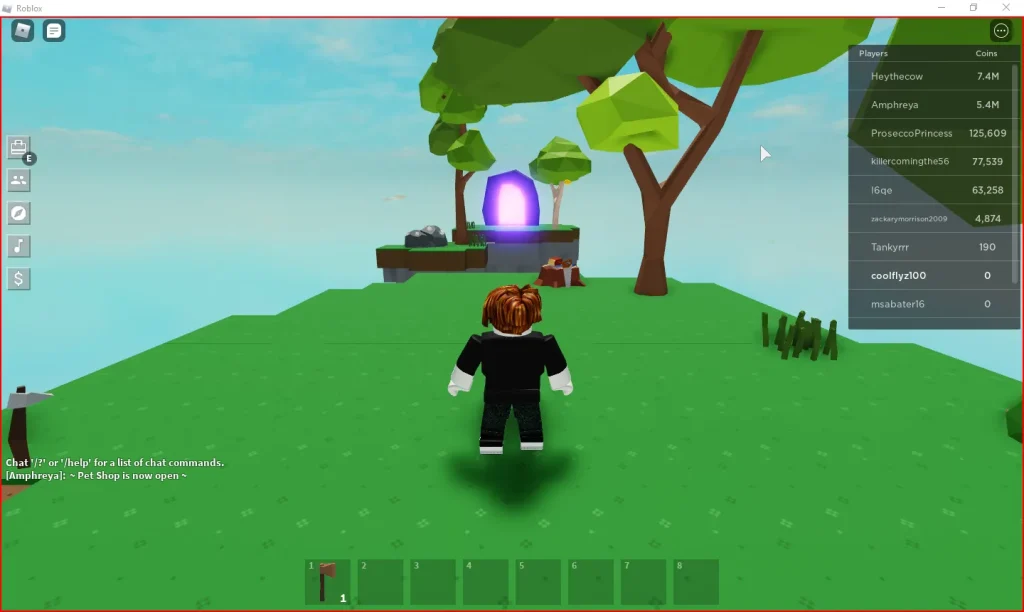
One of the defining features of Roblox PC is its vast library of multiplayer worlds. Players can join millions of others across countless game genres, from obstacle challenges to simulation adventures. Each world is designed by the community, ensuring that no two experiences are ever the same. Whether you want to role-play, build, or compete, Roblox delivers endless opportunities for interaction and exploration.
Game Creation with Roblox Studio
Roblox isn’t just about playing it’s about creating. With Roblox Studio, players can design their own games using intuitive drag-and-drop tools and Lua scripting. The platform empowers anyone, even beginners, to become game developers. You can create obstacle courses, racing tracks, adventure maps, or even full-fledged multiplayer games and share them with the Roblox community.
Customizable Avatars and Characters
In Roblox PC version, personalization takes center stage. Players can fully customize their avatars with thousands of outfits, hairstyles, accessories, and animations. This feature lets you express your unique personality within the Roblox universe. You can even purchase exclusive cosmetic items using Robux, the game’s virtual currency.
Massive Community and Social Interaction
Roblox thrives on its global community of gamers, developers, and creators. Players can chat, join groups, attend virtual events, and collaborate on projects. It’s not just a gaming platform it’s a social ecosystem that connects people worldwide through shared creativity and play.
Cross-Platform Gameplay
A major advantage of Roblox is its cross-platform compatibility. You can start playing on PC and continue seamlessly on mobile, console, or tablet without losing progress. This ensures that players stay connected with friends, no matter which device they use.
Safe and Moderated Environment
Safety is a top priority for Roblox Corporation. The PC version of Roblox includes built-in parental controls, chat filters, and content moderation tools to keep younger players safe. Parents can manage settings, monitor interactions, and ensure their children play in a secure, positive environment.
In-Game Economy and Robux
Roblox features a fully functional virtual economy powered by Robux. Players can buy and sell in-game assets, unlock exclusive items, or even earn Robux by creating successful games. This adds a rewarding element for creators who want to turn their passion into profit.
Frequent Updates and Special Events
The Roblox platform is continuously evolving. It hosts seasonal updates, limited-time events, and collaborations with real-world brands and franchises. These updates keep the content fresh and exciting, ensuring there’s always something new for players to enjoy.
Lightweight Yet Powerful Performance
Despite its massive world-building capabilities, Roblox PC is lightweight and optimized for smooth performance. Even on mid-range systems, the game delivers stable frame rates and quick loading times, making it accessible to nearly everyone.
Educational and Creative Potential
Beyond entertainment, Roblox also has educational value. Many teachers and parents use it to introduce kids to game design, coding, and digital collaboration. By playing and creating, users learn problem-solving, creativity, and teamwork all while having fun.
How to Download Roblox on PC?
- Click the Download button on this page to safely get the latest PC build.
- Choose your platform (Windows recommended; Mac/Linux may also be available if listed).
- When prompted, Save the file to an easy location (e.g., Downloads or Desktop).
- If the file is a .zip (or .rar), right-click it and select Extract All… to a new folder.
- Open the extracted folder and double-click
Roblox PC.exeto launch. - If Windows SmartScreen appears, click More info → Run anyway (only proceed if you downloaded from the button on this page).
- Optional: right-click the .exe and choose Create shortcut to pin it to Start/Desktop.
- In Options/Settings, set fullscreen/windowed, audio levels, and keybinds (WASD/Arrows).
System Requirements
| Component | Minimum Requirements | Recommended Requirements |
|---|---|---|
| OS | Windows 7/8/10/11 (64-bit) | Windows 10/11 (64-bit) |
| Processor | Intel Core i3 or equivalent | Intel Core i5/i7 or AMD Ryzen 5 |
| RAM | 4 GB | 8 GB or more |
| Graphics | Integrated GPU | NVIDIA GTX 960 or higher |
| Storage | 2 GB free space | 4 GB free space |
| Internet | Broadband connection | High-speed broadband |
| DirectX | Version 9 or above | Version 12 |
How to Play Roblox on PC?
Getting started with Roblox PC is simple, even for beginners. Once you’ve downloaded and installed the game, launch it and sign in to your Roblox account. If you don’t have one, creating an account only takes a few minutes. Once logged in, explore the Roblox homepage where thousands of games are categorized by genre action, adventure, role-playing, simulation, and more. Click on any game title to open its page, then hit the Play button. Roblox will automatically open the selected game in its dedicated player window.
On PC, you’ll use your keyboard and mouse to control your character, interact with the environment, and chat with other players. You can also adjust settings like graphics quality, camera sensitivity, and keybindings in the options menu to tailor your experience. For aspiring creators, launch Roblox Studio from your desktop to start designing your own games, worlds, and characters with powerful yet user-friendly tools.
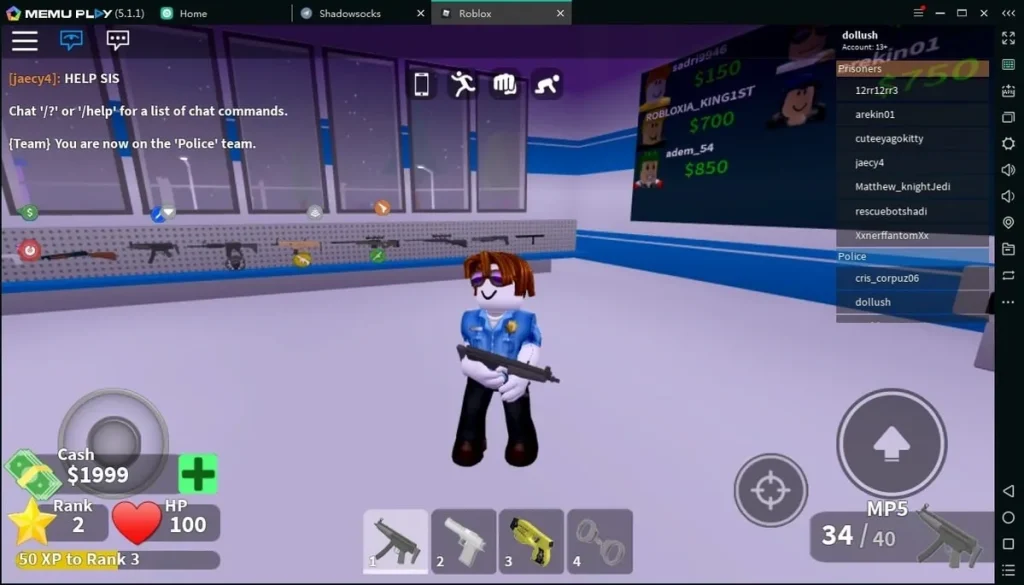
Why Play Roblox on PC?
Playing Roblox on PC offers gamers a richer and more immersive experience. The enhanced graphics make every world look sharper and more detailed, while the keyboard and mouse controls provide unmatched precision for building, navigating, and competing in fast-paced games. Unlike mobile devices, there’s no battery drain or overheating, letting you play longer sessions comfortably.
Another major advantage of the Roblox PC version is its cross-platform syncing. Your progress, items, and achievements stay consistent across devices so you can start on PC, continue on mobile, and never lose your place. Plus, the larger screen enhances gameplay visibility, perfect for exploring, creating, and multitasking while chatting or streaming. Simply put, playing Roblox on your computer combines power, comfort, and creativity all in one seamless gaming experience ersion. No battery drain, no overheating just pure gaming fun with unlimited creativity.
FAQs
Is Roblox free to play on PC?
Yes, Roblox PC version is completely free to download and play. Players can access millions of games without spending a penny. However, Roblox includes optional in-game purchases using its virtual currency, Robux, which allows you to buy premium accessories, upgrade your avatar, or unlock exclusive items and passes. While you can enjoy Roblox entirely for free, investing in Robux enhances your customization and gameplay experience.
How do I download and install Roblox on my computer?
To download Roblox for PC, click the download button available on this page. You’ll be redirected to the official Roblox website, where you can securely download the installer. Once the file is downloaded, run the setup and follow the on-screen instructions. After installation, log in with your Roblox account or create a new one. From there, you can browse thousands of games and start playing instantly.
Can I play Roblox on a low-end PC?
Absolutely! Roblox is designed to run efficiently even on low-end systems. It’s optimized for smooth performance across a wide range of hardware. As long as your computer meets the minimum system requirements (such as 4GB RAM and a stable internet connection), you’ll be able to enjoy Roblox without lag. For better graphics and faster load times, you can adjust performance settings in the game’s menu.
Is Roblox safe for kids to play on PC?
Yes, Roblox PC version includes multiple layers of safety to protect young players. Roblox Corporation provides parental controls, chat filters, and account restrictions to create a secure and family-friendly environment. Parents can limit who their children interact with, monitor activity, and control in-game spending. Additionally, Roblox’s moderation team actively reviews content and player behavior to maintain a positive gaming community.
Can I create my own games on Roblox PC?
Definitely! One of Roblox’s biggest attractions is Roblox Studio, a built-in development platform available on PC. It allows you to design, script, and publish your own games to the Roblox community. Even beginners can start with pre-made templates and tutorials. As your skills grow, you can earn Robux through your creations some developers have even turned their Roblox games into full-time careers.
Conclusion
Roblox PC isn’t just a game it’s a world of limitless creativity, community, and fun. With millions of user-generated worlds, powerful customization tools, and cross-platform freedom, it’s the ultimate playground for gamers and creators alike. Whether you’re exploring new adventures or designing your own, Roblox offers something for everyone. Don’t wait click the download button on this page to safely install Roblox on PC and start your gaming journey today!