Stardew Valley PC
Stardew Valley PC lets you escape to a charming countryside, build your dream farm, raise animals, grow crops, mine treasures, and create your own peaceful rural life.

Stardew Valley PC is more than just a farming simulation it is an immersive life experience wrapped in charming pixel art. Developed by ConcernedApe, the PC version is considered the original and definitive platform for the game. Released first on PC in 2016, it set the standard for sandbox farming titles and inspired countless other indie games. From growing crops to raising animals, Stardew Valley PC gives players the ultimate freedom to build the countryside life of their dreams.
One of the most appealing aspects of the PC version is the sandbox gameplay mechanics and creative freedom it offers. Unlike console or mobile adaptations, playing Stardew Valley on computer allows smooth modding, faster updates, and access to community-created content. You can farm, mine, fish, craft, and even build deep relationships with villagers all at your own pace. Every playthrough feels unique because the game does not restrict you to a linear path, leaving creativity in the player’s hands.
The cultural impact of Stardew Valley PC is undeniable. With millions of copies sold and a thriving modding community, the game continues to remain fresh nearly a decade after release. From texture overhauls to massive gameplay expansions, PC players enjoy a virtually endless supply of community-driven updates. Stardew Valley has grown into a viral phenomenon, standing as one of the most beloved indie games worldwide. Its legacy proves that farming and life simulation can be as exciting and addictive as any AAA title.
Features
Farming at Your Own Pace
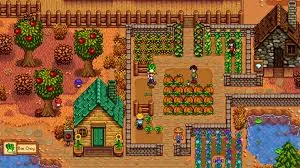
Stardew Valley lies farming. Players can plant seasonal crops, water them daily, and harvest them for profit. Each season brings unique crops like strawberries in spring or pumpkins in fall making planning essential. Unlike fast-paced games, Stardew Valley PC allows you to manage farming at your own speed, whether you prefer small gardens or massive crop fields.
Animal Care and Production
Beyond crops, you can raise animals such as chickens, cows, goats, ducks, and sheep. By upgrading barns and coops, you’ll unlock better facilities and new animals. Taking care of them daily ensures happiness, resulting in higher-quality products like milk, cheese, eggs, and wool essential for both profit and crafting.
Fishing Across Different Waters
Fishing is an engaging mini-game within Stardew Valley PC. From rivers and lakes to the ocean, each location offers unique fish species depending on the season, weather, and time of day. Mastering fishing not only fills your collection but also brings in steady income and rare items.
Mining and Resource Gathering
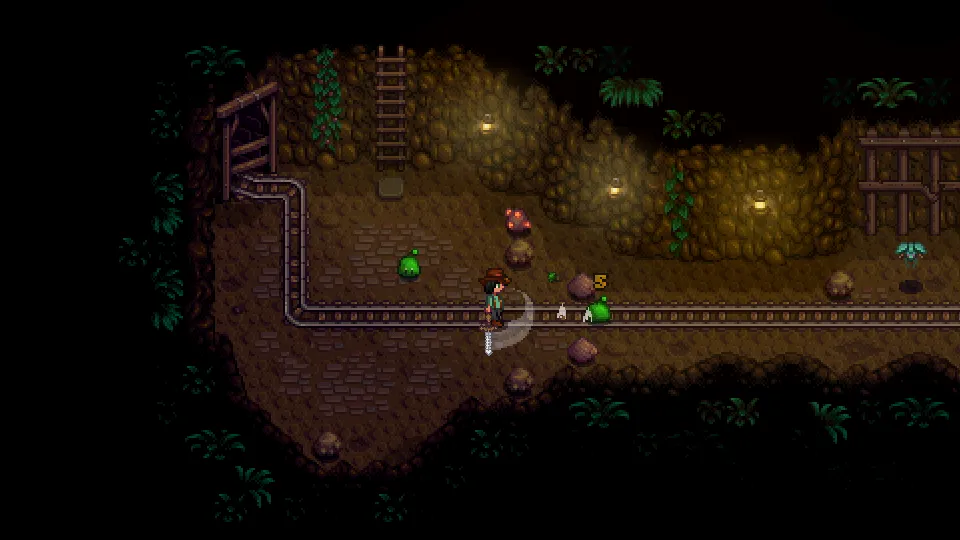
The mines are where farming meets adventure. Players descend into different floors filled with ores, geodes, and gemstones. Along the way, you’ll encounter hostile creatures, turning mining into a blend of resource gathering and combat. Progressing deeper unlocks valuable materials like gold, iridium, and rare artifacts.
Crafting and Customization
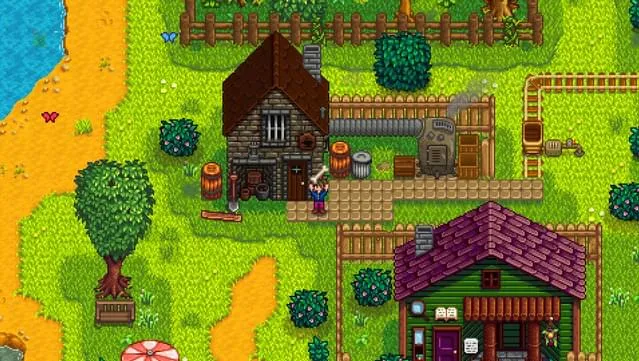
Crafting allows players to transform raw materials into useful items. From sprinklers that automate watering to kegs for brewing wine, the crafting system boosts farm productivity. Decoration is another highlight fences, paths, and furniture give you full freedom to design a farm that reflects your personality.
Building Relationships with Villagers
The Pelican Town villagers are central to the Stardew Valley experience. Each has unique personalities, schedules, and stories. By giving gifts, talking daily, and attending festivals, you can build friendships. Some villagers are romanceable, leading to marriage and even starting a family making relationships a major feature of the PC version.
Seasonal Festivals and Events
Each in-game season brings festivals like the Flower Dance, Stardew Valley Fair, and Spirit’s Eve. These events are opportunities to interact with villagers, compete in mini-games, and earn exclusive rewards. The variety ensures that every in-game year feels exciting and fresh.
Multiplayer and Co-op Farming
The PC version allows up to four players to farm together online. Friends can divide tasks, manage resources, and collaborate on building the perfect farm. Multiplayer farming adds a social twist to the game, making it even more enjoyable when shared with others.
Modding and Community Content
One of the biggest advantages of Stardew Valley PC is its thriving modding community. Mods range from small quality-of-life changes to full-scale expansions that add new crops, NPCs, and even maps. This keeps the game fresh and offers nearly endless replayability.
Endgame Challenges and Legacy
Once your farm is thriving, there’s still much to do. Completing the Community Center, upgrading the farmhouse, unlocking the desert area, and aiming for perfection scores provide long-term goals. The game doesn’t have a forced ending, allowing players to enjoy their farms indefinitely.
How to Download Stardew Valley on PC?
- Click the Download button on this page to safely get the latest PC build.
- Choose your platform (Windows recommended; Mac/Linux may also be available if listed).
- When prompted, Save the file to an easy location (e.g., Downloads or Desktop).
- If the file is a .zip (or .rar), right-click it and select Extract All… to a new folder.
- Open the extracted folder and double-click
Stardew Valley PC.exeto launch. - If Windows SmartScreen appears, click More info → Run anyway (only proceed if you downloaded from the button on this page).
- Optional: right-click the .exe and choose Create shortcut to pin it to Start/Desktop.
- In Options/Settings, set fullscreen/windowed, audio levels, and keybinds (WASD/Arrows).
- For future updates, return to this page and click the Download button again, then replace your old game folder with the new one.
System Requirements
| Specification | Minimum Requirements | Recommended Requirements |
|---|---|---|
| OS | Windows 7 or later / Mac OS X 10.10+ | Windows 10 / Mac OS X 10.15+ |
| Processor | Intel Core 2 Duo 2.0 GHz | Intel i5 or equivalent |
| Memory (RAM) | 2 GB | 4 GB |
| Graphics | Integrated (256 MB VRAM) | Dedicated GPU (512 MB VRAM or higher) |
| Storage | 500 MB available space | 1 GB free space |
How to Play Stardew Valley on PC?
Starting your journey in Stardew Valley PC is simple yet endlessly rewarding. After creating your character and selecting a farm layout, you’ll begin with basic tools and a small plot of land. The game follows a day-to-day cycle where you manage time and energy carefully. Each day, you can choose whether to water crops, forage in the forest, go fishing, or explore the mines. Prioritizing tasks is important, as energy depletes quickly, and planning ahead ensures steady farm growth. As the seasons change, new crops, festivals, and activities become available, keeping the gameplay exciting and dynamic.
As you progress, you’ll unlock more advanced gameplay features such as crafting, animal care, and upgrading your farmhouse. Building relationships with villagers adds depth, offering heart events, marriage options, and even family life. Exploring the mines introduces combat and rare resources, while fishing and foraging provide extra income. For players who enjoy collaboration, Stardew Valley on computer also supports multiplayer, where friends can join your farm online. The key to mastering the game is balance decide whether to focus on farming, relationships, or exploration, and enjoy the freedom to play at your own pace.
Why Play Stardew Valley on PC?
Playing Stardew Valley on PC delivers the most complete and customizable experience compared to other platforms. The PC version benefits from enhanced graphics, smoother performance, and precise keyboard-and-mouse controls, making farming, mining, and crafting easier to manage. Players also enjoy the convenience of a larger screen, which enhances the pixel art visuals and allows for better multitasking while gaming. With Steam Cloud support, your progress can sync across different devices, ensuring that you never lose your farm’s hard-earned achievements.
Another major advantage of Stardew Valley PC is its thriving modding community, offering everything from visual overhauls to brand-new content expansions. Unlike mobile or console versions, the PC edition lets you customize gameplay endlessly, ensuring long-term replayability. Add in the fact that you won’t deal with battery drain or storage limitations like on handheld devices, and it’s clear why the PC version is the ultimate way to experience this farming simulation classic.
FAQs
Is Stardew Valley free to play on PC?
No, Stardew Valley is a paid game on PC. You can purchase it through platforms like Steam, GOG, or the official website. However, it is often discounted during seasonal sales, making it very affordable.
Can Stardew Valley PC be played offline?
Yes. Once you’ve downloaded and installed the game, you can play Stardew Valley PC completely offline. An internet connection is only required for downloading updates or joining multiplayer sessions.
Does the PC version of Stardew Valley support mods?
Absolutely. One of the biggest reasons to play on PC is the extensive modding support. Using tools like SMAPI, you can add mods that improve graphics, introduce new crops, or even expand the map, giving you unlimited customization.
How many players can join multiplayer on Stardew Valley PC?
The game supports up to four players in online co-op mode. One player acts as the host, while others join as farmhands. This allows teamwork in farming, mining, fishing, and festivals.
What are the system requirements for Stardew Valley PC?
The requirements are very lightweight. Even older PCs can run the game smoothly. A dual-core processor, 2 GB RAM, and integrated graphics are enough for minimum settings, while modern PCs will easily handle the game at higher resolutions.
Can I transfer my Stardew Valley save files from mobile or console to PC?
Yes, save transfers are possible, though they may require manual file adjustments. With a bit of setup, you can move your progress from mobile or console versions and continue playing seamlessly on PC.
How much storage space does Stardew Valley need on computer?
Stardew Valley is a very light game, requiring less than 1 GB of space. This makes it easy to install even on low-storage laptops or older PCs without performance issues.
Conclusion
Stardew Valley PC remains the ultimate way to enjoy this beloved farming and life simulation game. With its charming pixel art, endless farming possibilities, and rich community-driven content, the PC version stands out as the most complete experience. From mods and multiplayer to smooth controls and better performance, it offers everything players need for both casual relaxation and long-term challenges. Whether you want to build your dream farm, forge relationships, or explore the mines, Stardew Valley on computer delivers limitless fun. Click the Download button on this page to start your farming adventure today.