Need For Speed Underground PC
Experience the thrill of street racing with Need For Speed Underground PC. Customize cars, master drift and drag races, and relive the iconic underground racing culture.
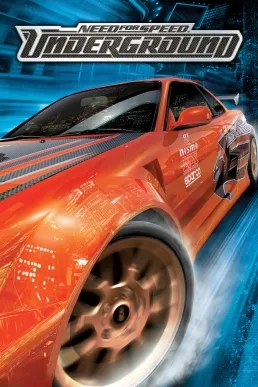
When Need For Speed Underground PC launched in 2003, it redefined what street racing games could be. Developed by EA Black Box and published by Electronic Arts, this iconic title wasn’t just another entry in the racing genre it became a cultural phenomenon. The PC version stood out as the definitive platform thanks to its superior graphics performance, customizable controls, and the ability to experience the thrill of underground street racing on a larger screen with full hardware power. For many gamers, the PC release represented the purest way to experience one of the most legendary chapters in the Need For Speed series.
What made the Need For Speed Underground PC version so special was its sandbox-style freedom. Players could not only race but also immerse themselves in a city buzzing with neon lights, dynamic weather effects, and endless customization options for their rides. From choosing body kits and paint jobs to fine-tuning engine performance, the game gave players creative control over their racing identity. Combined with tight arcade-style handling and high-octane drifting mechanics, the PC edition delivered an experience that felt fast, fluid, and limitless.
Beyond its gameplay, Need For Speed Underground on PC had a cultural impact that reached far beyond gaming. Its influence was amplified by a thriving modding community that kept the game alive for decades with fan-made content, texture packs, and performance tweaks. The soundtrack featuring artists like Lil Jon, Rob Zombie, and Crystal Method also made it a viral sensation of its era. Even today, Underground remains a touchstone for racing fans and continues to inspire modern titles, proving its timeless legacy.
Features
Authentic Underground Racing Environment
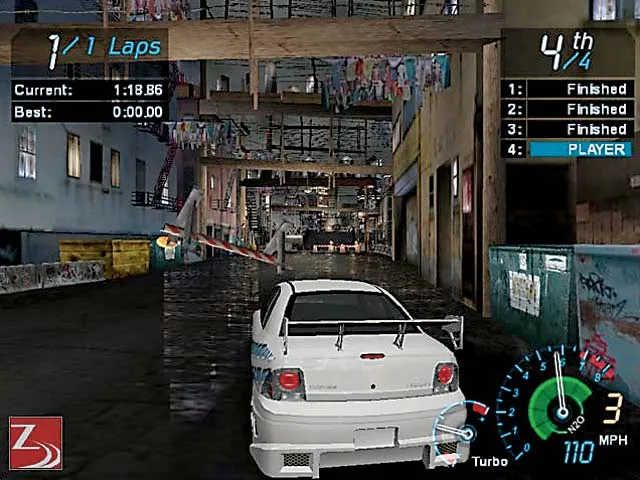
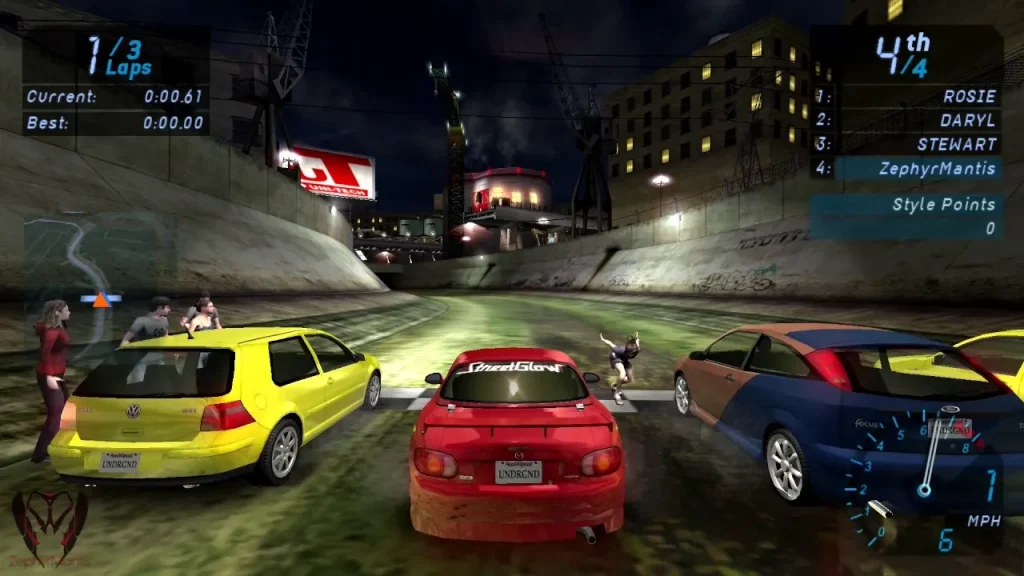
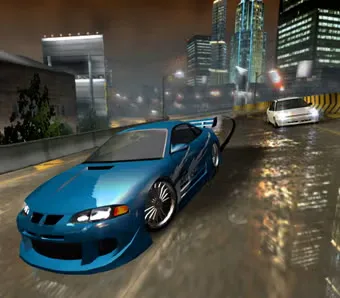
One of the most striking elements of Need For Speed Underground PC is its immersive atmosphere. The entire game takes place at night, with rain-soaked streets reflecting neon lights, towering skyscrapers, and tunnels that enhance the sense of speed. This unique presentation captured the underground racing vibe of the early 2000s and made every race feel cinematic and stylish.
Extensive Car Customization
Customization is the beating heart of the game. Players are given full creative freedom to design their dream cars. From vinyl decals, custom paint jobs, and neon underglow lights to spoilers, rims, body kits, and hoods every detail can be fine-tuned. In addition, performance upgrades such as turbochargers, nitrous systems, and suspension tuning let players build a ride that matches their racing style.
Engaging Career Mode
The game’s Career Mode provides a structured progression system. Players start with basic vehicles and gradually unlock better cars, advanced parts, and exclusive upgrades by winning races. The career path feels rewarding as each victory brings players closer to dominating the underground racing scene, keeping them motivated to continue.
Arcade-Style Racing Mechanics
Unlike hardcore simulation racers, Need For Speed Underground on PC embraces accessibility. Its arcade-style controls are easy to learn, allowing newcomers to dive right in. However, mastering drifting, perfect cornering, and boost timing requires practice, giving advanced players depth and challenge.
Drift Mode for Stylish Racing
Drifting was one of the standout features of the Underground series. The dedicated Drift Mode challenges players to slide their cars through tight corners while maintaining balance and speed. Points are awarded for long, stylish drifts, adding a new layer of skill-based gameplay and creating some of the game’s most exciting moments.
Nitrous Oxide Boost System
Speed alone isn’t enough you need bursts of acceleration at the right time. The game’s nitrous oxide system allows players to unleash short boosts of extreme speed. This mechanic adds a tactical element to races, as timing a boost correctly can secure victory in tight finishes.
Variety of Race Types
The game features multiple race types, keeping gameplay fresh and varied. Circuit races test endurance, drag races focus on precision gear shifts, sprint races challenge speed over shorter distances, and drift events highlight car control. Each mode ensures players never get bored of repeating the same formula.
Multiplayer Racing Experience
Need For Speed Underground PC version included a multiplayer mode where players could challenge friends or strangers online. Competing against real opponents added adrenaline and unpredictability, making victories even more rewarding. While official servers may no longer be active, the PC community has kept multiplayer alive through fan-supported options.
Memorable Soundtrack
The soundtrack became just as iconic as the game itself. Featuring a mix of hip-hop, rock, and electronic tracks from artists like Lil Jon and Rob Zombie, the music perfectly matched the high-energy racing atmosphere. Even today, many players fondly remember the songs as part of the game’s identity.
Thriving Modding Community
Unlike consoles, the PC version benefited from a passionate modding community. Players continue to release mods that enhance graphics, add modern cars, and expand customization options. This has helped Need For Speed Underground on computer remain relevant decades later, proving the long-lasting love for the game.
How to Download Need For Speed Underground on PC?
- Click the Download button on this page to safely get the latest PC build.
- Choose your platform (Windows recommended; Mac/Linux may also be available if listed).
- When prompted, Save the file to an easy location (e.g., Downloads or Desktop).
- If the file is a .zip (or .rar), right-click it and select Extract All… to a new folder.
- Open the extracted folder and double-click
Need For Speed Underground PC.exeto launch. - If Windows SmartScreen appears, click More info → Run anyway (only proceed if you downloaded from the button on this page).
- Optional: right-click the .exe and choose Create shortcut to pin it to Start/Desktop.
- In Options/Settings, set fullscreen/windowed, audio levels, and keybinds (WASD/Arrows).
- For future updates, return to this page and click the Download button again, then replace your old game folder with the new one.
System Requirements
| Specification | Minimum Requirements | Recommended Requirements |
|---|---|---|
| OS | Windows 98/ME/2000/XP | Windows 7/8/10 |
| Processor | Pentium III 933 MHz or equivalent | Pentium 4 1.5 GHz or higher |
| Memory (RAM) | 256 MB | 512 MB – 1 GB |
| Graphics Card | 32 MB DirectX 8.1 compatible | 64 MB or higher (NVIDIA/ATI) |
| Storage | 2 GB free space | 2 GB free space |
| DirectX | Version 8.1 or higher | Version 9.0c or higher |
How to Play Need For Speed Underground on PC?
Playing Need For Speed Underground on PC starts with launching the game after installation and adjusting the settings for the best performance. PC players can configure their graphics to match modern hardware, ensuring smoother frame rates and enhanced visuals compared to older console versions. Control options are flexible you can race using the keyboard, a gaming controller, or even a steering wheel setup for added realism. It’s recommended to personalize your controls in the settings menu, so actions like drifting, braking, and nitrous boosts feel natural. Beginners should start in Quick Race mode to get familiar with the handling before moving on to more competitive races.
Once you are comfortable with the basics, dive into the Career Mode, where you’ll climb the underground racing ranks. Winning races unlocks new cars, upgrades, and customization features, making each victory rewarding. For variety, experiment with different race modes such as drag, sprint, and drift challenges to sharpen your skills. The PC version also allows you to install mods, which can enhance visuals or add new vehicles, extending the game’s replayability. Whether you want a casual thrill or an immersive racing journey, the Need For Speed Underground PC version offers the flexibility to play your way.
Why Play Need For Speed Underground on PC?
Playing Need For Speed Underground on PC offers a level of freedom and performance that consoles of its era simply couldn’t match. With enhanced graphics, higher resolutions, and smoother frame rates, the PC version allows players to fully experience the neon-lit streets and dynamic racing environments in sharper detail. The larger screen setup, combined with customizable control options such as keyboard shortcuts, gaming controllers, or even steering wheels, makes racing far more immersive. Unlike consoles, PC users can also tweak visual settings to optimize gameplay based on their hardware, ensuring a smooth and enjoyable experience.
Another major advantage of the Need For Speed Underground PC version is its longevity. There’s no battery drain or hardware limitations, and players can multitask easily while gaming. More importantly, the thriving modding community keeps the game fresh with new cars, improved textures, and fan-made content. This ensures that even decades after its release, PC players continue to enjoy an upgraded and evolving underground racing experience, making the computer edition the ultimate way to revisit this classic.
FAQs
Can I still download Need For Speed Underground for PC today?
Yes, you can still download the PC version through safe and trusted sources online. On this page, you’ll find a dedicated Download button that provides a secure link, allowing you to install and enjoy the game without worries.
Does Need For Speed Underground PC work on modern Windows versions like 10 or 11?
Absolutely. While the game was originally designed for older operating systems, you can run it on Windows 10 or 11 using compatibility settings or community patches. Many players even report smoother performance on modern PCs.
How large is the game file size for PC?
The full installation of Need For Speed Underground on computer requires around 2 GB of free storage space. Compared to modern racing games, it’s lightweight, making it quick to download and easy to run on almost any machine.
Does the PC version support mods?
Yes, one of the biggest advantages of the PC version is its thriving modding community. Players can install mods that add new cars, update graphics, or even introduce fresh gameplay mechanics keeping the game exciting for years.
Is multiplayer still available in Need For Speed Underground PC?
Official servers may no longer be active, but you can still enjoy multiplayer through LAN connections or fan-supported online platforms. These community-driven solutions allow players to continue racing against friends worldwide.
Can I play Need For Speed Underground PC with a controller?
Definitely. While many gamers enjoy the precision of a keyboard, the game supports USB gamepads and even racing wheels. This gives you the flexibility to choose the control scheme that best fits your racing style.
What makes the PC version better than console versions?
The PC version offers enhanced visuals, customizable controls, and ongoing support from the modding community. Unlike consoles, which are locked to fixed hardware, PCs allow upgrades, ensuring smoother performance and a longer-lasting gaming experience.
Conclusion
Need For Speed Underground PC remains a legendary racing game that perfectly captured the thrill of street racing culture. With its immersive night-time city tracks, deep car customization, and fast-paced gameplay, it continues to be a favorite for racing enthusiasts even decades after its release. The PC version not only offers superior graphics and control options but also benefits from an active modding community that keeps the experience fresh. Whether you’re revisiting it for nostalgia or discovering it for the first time, click the Download button on this page and relive the underground racing excitement today.