7 Days to Die PC
Play 7 Days to Die PC and survive zombies with crafting, building, and action combat. Explore the world and protect your base. Download and start playing now.

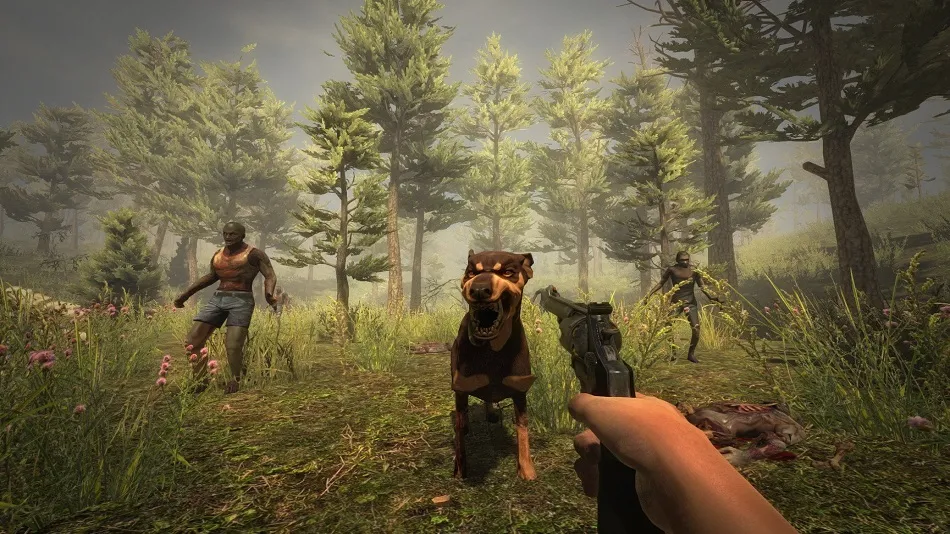
7 Days to Die PC is one of the most intense and immersive survival horror experiences ever created. Developed by The Fun Pimps, the game combines first-person shooter mechanics, open-world exploration, tower defense, crafting, looting, and RPG-style skill progression. Often described as the “ultimate zombie survival sandbox,” it has sold millions of copies worldwide and maintains an active player base thanks to frequent updates, mod support, and a thriving online community. With over 15+ million players, 7 Days to Die has become a defining title in the survival horror genre.
The core gameplay revolves around surviving in a post-apocalyptic world overrun by zombies. You gather resources, craft weapons, build bases, explore abandoned cities, and prepare for the terrifying Blood Moon Horde that appears every 7th night. With destructible environments, advanced zombie AI, day/night cycles, and deep building systems, every session feels different. This unpredictability makes players want to experience 7 Days to Die on PC, where better controls and enhanced performance offer a significant advantage.
Playing the 7 Days to Die PC version gives survival gamers the best possible experience. A larger screen makes looting and base-building easier, while keyboard and mouse controls offer precision during combat. Improved graphics, smooth FPS, and multitasking support make PC the ideal platform for long survival sessions. To begin your journey in the zombie apocalypse, scroll down and click the download button on this page to safely get the game and start crafting your survival story today.
Features
Massive Open-World Exploration
The world of 7 Days to Die PC is huge, diverse, and fully explorable. Players can choose between the handcrafted map “Navezgane” or generate an entirely new world using Random Gen. Each region features unique biomes forest, desert, snow, wasteland, and plains packed with zombies, loot, towns, caves, and hidden bunkers. On PC, the world loads faster, textures appear sharper, and long-distance rendering feels more realistic, giving players a richer sense of exploration and discovery.
Blood Moon Horde Every 7th Night
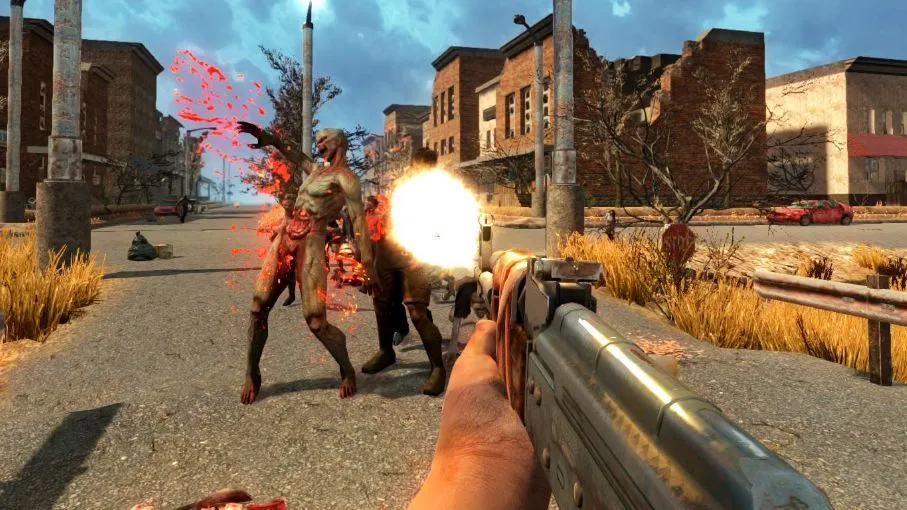
The game’s signature mechanic is the Blood Moon Horde that strikes every seventh day. On this night, zombies become faster, stronger, and far more aggressive, attacking your base from all angles. These intense events force players to build strong defenses and upgrade structures regularly. Playing on PC ensures smoother frame rates and better responsiveness during heavy horde attacks, making the experience more manageable and thrilling.
Deep Crafting, Tools & Workstations
Crafting lies at the heart of 7 Days to Die PC. You can craft weapons, tools, armor, food, medicine, ammo, traps, and hundreds of survival items. Workstations like the Forge, Workbench, Chemistry Station, and Cement Mixer help you create advanced materials such as steel, concrete, gunpowder, and mods. The PC interface makes crafting far more accessible with quick navigation, drag-and-drop inventory management, and efficient crafting queue control.
Realistic Survival Systems
Beyond zombies, players must manage hunger, thirst, temperature, health, stamina, infections, broken limbs, and bleeding wounds. These layered survival mechanics create constant tension and require smart resource management. Eating cooked meals, purifying water, crafting bandages, and equipping weather-appropriate clothing becomes vital. PC players benefit from smoother menus and faster hotbar switching, making survival more intuitive.
Immersive First-Person Combat
Combat is brutal, fast-paced, and highly strategic. You can use melee weapons like clubs, spears, sledgehammers, or ranged weapons like bows, rifles, pistols, and shotguns. Explosives, molotovs, and traps add depth to combat tactics. The PC version greatly enhances aiming accuracy due to mouse precision and customizable sensitivity settings, giving players a major advantage during zombie encounters and horde nights.
Advanced Base Building System
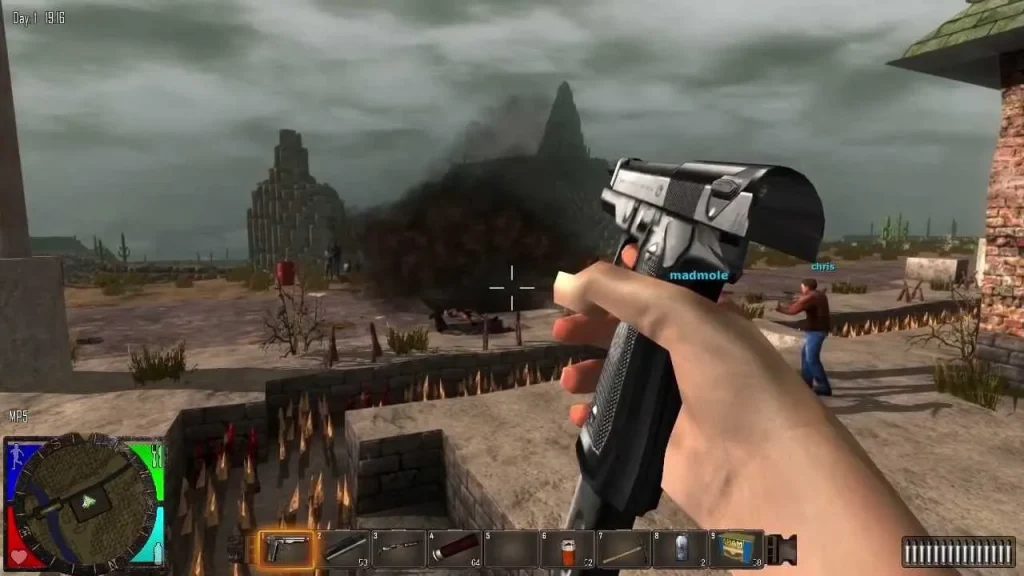
Base building is one of the biggest highlights of the game. You can construct anything from small wooden shelters to massive concrete fortresses with multiple defense layers. The structural integrity system requires players to build logically if support is weak, the structure collapses. PC players enjoy easy block placement, smoother rotation, and better control when designing complex bases. Combined with mouse accuracy, building elaborate traps, walkways, and kill corridors becomes significantly easier.
Detailed RPG Skill Progression
7 Days to Die PC features an extensive RPG progression system divided into Strength, Perception, Fortitude, Agility, and Intelligence. Each attribute has perk trees like Miner 69er, Dead Eye, Healing Factor, Better Barter, and Grease Monkey. These skills influence combat, crafting, looting, stamina, building speed, and vehicle creation. The PC interface makes managing skill points and perk trees easier through clearer menus and faster scrolling.
Looting, Raiding & City Exploration
Cities and Points of Interest (POIs) contain some of the best loot in the game. You’ll raid skyscrapers, factories, military bases, hospitals, and hidden underground bunkers filled with supplies. Each POI has a unique layout, traps, and zombie spawns. On PC, loading times are faster, lighting is clearer, and textures are sharper making looting more enjoyable and atmospheric.
Vehicles and Travel Upgrades
As you progress, you can craft or find different vehicles such as bicycles, minibikes, motorcycles, 4×4 trucks, and even a gyrocopter. These vehicles make long-distance travel easier while offering increased storage space. The PC version loads terrain faster, provides smoother driving, and minimizes lag, especially when traveling across large areas or exploring new regions.
Full Multiplayer & Mod Support
7 Days to Die PC shines brightest with its multiplayer features. You can join friends, host servers, or participate in large community servers with custom mods and rules. PC modding support is incredibly rich players can add new weapons, zombies, tools, maps, UI enhancements, and complete overhaul mods like Darkness Falls or Ravenhearst.
How to Download 7 Days to Die on PC?
- Click the Download button on this page to safely get the latest PC build.
- Choose your platform (Windows recommended; Mac/Linux may also be available if listed).
- When prompted, Save the file to an easy location (e.g., Downloads or Desktop).
- If the file is a .zip (or .rar), right-click it and select Extract All… to a new folder.
- Open the extracted folder and double-click
7 Days to Die PC.exeto launch. - If Windows SmartScreen appears, click More info → Run anyway (only proceed if you downloaded from the button on this page).
- Optional: right-click the .exe and choose Create shortcut to pin it to Start/Desktop.
- In Options/Settings, set fullscreen/windowed, audio levels, and keybinds (WASD/Arrows).
System Requirements
| Component | Minimum Requirements | Recommended Requirements |
|---|---|---|
| OS | Windows 7/8/10 (64-bit) | Windows 10/11 (64-bit) |
| Processor | Intel Core 2 Duo / AMD Athlon | Intel Core i5 / AMD Ryzen 5 |
| RAM | 8 GB | 12 GB |
| Graphics | GTX 550 Ti / Radeon HD 6870 | GTX 1050 Ti / AMD RX 570 |
| Storage | 12 GB free space | 15 GB free space |
| DirectX | Version 11 | Version 12 |
| Internet | Required for multiplayer | Required for co-op |
How to Play 7 Days to Die on PC?
Playing 7 Days to Die on PC is the ideal way to experience its fast-paced survival mechanics. After downloading the game from the button on this page, start by creating a new world or joining an existing one. Use your keyboard to move, sprint, jump, crouch, and interact with objects, while the mouse helps with precise aiming and weapon control. Early on, gather stone, wood, and plant fibers to craft basic tools like a stone axe and wooden club. Explore abandoned buildings to find food, water, schematics, and weapons that help you survive the harsh world.
As you progress, build a secure base to prepare for the Blood Moon horde. Use traps, spikes, turrets, and strong building materials to defend yourself. PC players benefit from smooth FPS, faster crafting navigation, and accurate shooting, making each horde night more manageable. You can also team up with friends through online co-op to loot bigger cities, build massive bases, and survive tougher zombie encounters. The 7 Days to Die PC version ensures fluid gameplay, detailed graphics, and comfortable long-session survival.
How to Play 7 Days to Die on PC?
Playing 7 Days to Die on PC gives you the ultimate survival horror experience thanks to enhanced graphics, smooth frame rates, and precise keyboard-and-mouse controls. Combat becomes far more accurate, especially during Blood Moon hordes when every shot counts. Base building also feels easier because the mouse offers perfect placement for traps, walls, and structural blocks. With higher resolutions and improved lighting, the post-apocalyptic world looks sharper, more detailed, and more immersive than on other platforms.
PC gaming also removes battery limitations, making long survival sessions much more comfortable. You can multitask effortlessly watch guides, check maps, or chat with friends while exploring cities or crafting weapons. The 7 Days to Die PC version also supports mods, dedicated servers, and custom settings, giving players full control over their gameplay experience. For anyone who wants maximum performance, flexibility, and depth, PC is the best place to play 7 Days to Die.
FAQs
Can you play 7 Days to Die on PC for free?
While some trial or limited versions may exist, the full and most stable 7 Days to Die PC version must be downloaded through a safe installer or purchased legally. The download button on this page provides a secure way to install the complete game without risks. Free versions often lack updates, features, and performance stability, so using the official PC installer ensures the best visuals, smooth gameplay, and full survival experience.
Is 7 Days to Die PC demanding on hardware?
Not at all. 7 Days to Die is well-optimized and can run on mid-range or even older PCs at adjusted settings. The minimum requirements include basic GPUs like the GTX 550 Ti, meaning you don’t need a powerful gaming machine to enjoy the game. For smoother FPS during Blood Moon hordes or large base fights, a recommended setup like a GTX 1050 Ti and 12 GB RAM offers a much better experience. Overall, it is very accessible for most PC players.
Does 7 Days to Die support multiplayer on PC?
Yes, the PC version offers full multiplayer support, including online co-op, PvE communities, and private servers. You can team up with friends, build giant bases, explore cities together, share resources, and survive Horde Night as a coordinated group. PC multiplayer is known for its stability, faster connections, and flexibility to host custom servers with mods and difficulty settings tailored to your playstyle.
Can I install mods in 7 Days to Die PC?
Absolutely. The PC version is the best platform for modding. Players can install overhaul mods like Darkness Falls, War of the Walkers, new weapons, improved zombies, UI enhancements, texture upgrades, biome expansions, and more. Most mods are easy to install and dramatically expand gameplay variety. Modding communities on Nexus Mods and the official forums provide thousands of options for customizing your survival experience.
How often does 7 Days to Die receive updates on PC?
7 Days to Die is regularly updated on PC, often receiving new features before any other platform. Updates include performance improvements, new crafting recipes, AI refinements, balance adjustments, bug fixes, and massive content patches that keep the game fresh. PC players typically get faster access to experimental builds, patches, and early versions of new updates, making the PC version the most up-to-date way to play the game.
Conclusion
7 Days to Die PC delivers the perfect blend of horror, survival, crafting, and exploration. With improved visuals, smooth controls, and endless replay value, the PC version offers the most complete way to experience the apocalypse. Whether you’re building bases, fighting zombies, or exploring dangerous cities, every moment feels intense and unpredictable. Click the download button on this page to safely install the game and begin your survival journey today. Let the fight for your life begin!