
The Battle Cats PC
Play The Battle Cats PC with smoother controls, bigger screen battles, and no battery limits. Download now and lead your funny cat army to global domination!

If you enjoy quirky strategy games with a hilarious twist, The Battle Cats PC is one of the most addictive tower defense titles ever released. Developed by PONOS Corporation, this free-to-play game became a global hit on mobile devices, reaching over 80 million downloads worldwide. What makes the game stand out is its bizarre humor, cartoon-style visuals, and a massive collection of upgradeable cat units, ranging from normal house cats to laser-shooting robots, samurai cats, tank cats, and even mythical god-tier cats. As more gamers look for a comfortable way to play on bigger screens, the demand for The Battle Cats PC version has skyrocketed.
The gameplay is simple but surprisingly deep: deploy cats to defend your base while pushing forward to destroy the enemy’s base. Battles start easy but turn into true strategy challenges as enemies grow stronger, making unit selection, timing, and upgrades more important than ever. The game offers hundreds of levels, limited-time events, rare cat gacha rolls, and boss stages that keep players hooked for months. Whether you’re a casual gamer or a completionist, there’s always something new to unlock.
Now that millions of players want to play The Battle Cats on computer with better performance, no battery drain, and easy controls, this guide will walk you through everything from how to download The Battle Cats for PC, to system requirements, gameplay tips, and the advantages of playing it on Windows instead of mobile. If you’re ready to command your ultimate cat army and conquer the world one base at a time, keep reading your invasion begins here.
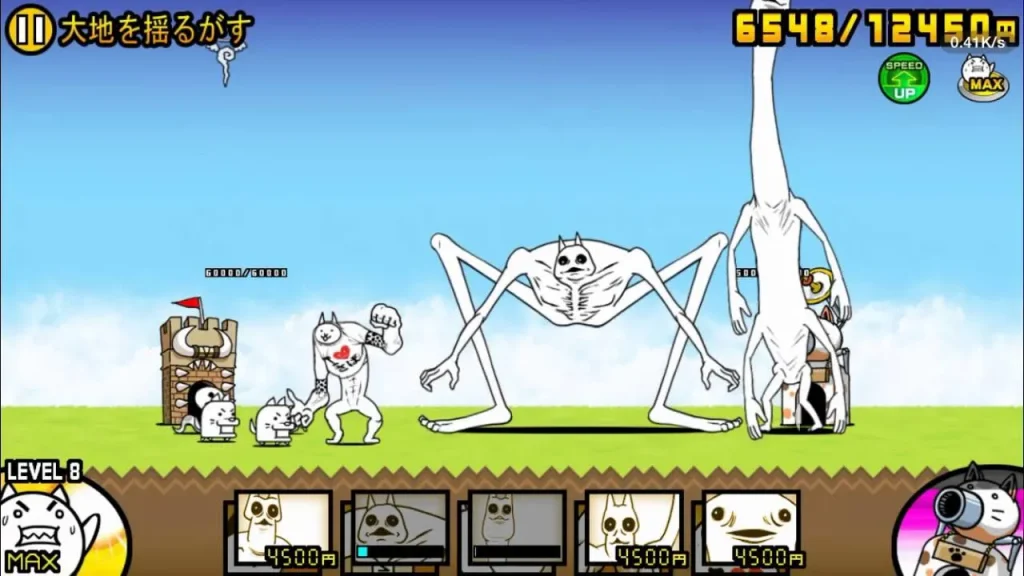
Features
Simple but Addictive Tower Defense Gameplay
The Battle Cats PC is easy to understand even if you’re new to tower defense games. You deploy different cat units to march toward the enemy base while defending your own. The simple tap-to-spawn mechanic makes it highly accessible, yet the strategy deepens as new enemies, bosses, and stages appear.
Over 600 Unique and Upgradeable Cat Units
From basic cats like Tank Cat and Axe Cat to hilariously bizarre units like UFO Cat, Paris Cat, and Bahamut Cat, the game offers hundreds of collectible and evolvable characters. Each cat has its own stats, abilities, and evolution tiers, making team building a major part of the fun.
Story Mode with Multiple Chapters and Worlds
The game starts with the three main Empire of Cats chapters, but as you progress, you unlock Outbreaks, Legend Stages, Stories of Legend, and event-based storylines. Every world introduces stronger enemies, new environments, and fresh rewards.
Gacha System for Rare and Uber Cats
The Cat Capsule Machine works like a lottery system where players can obtain super rare or uber rare cats. These cats often have powerful abilities like anti-alien, anti-zombie, or massive damage perks, giving strategic advantages in late-game levels.
Free-to-Play with Optional Cat Food Currency
The Battle Cats PC is entirely free to play, with premium currency (Cat Food) only used for faster progress, gacha rolls, and upgrades. Every item, cat, and stage can be earned without spending real money.
Regular Events and Limited-Time Collabs
The developers frequently release crossover events with anime, games, or seasonal themes, allowing players to unlock exclusive cats and rewards. Halloween Cats, Evangelion Cats, and Sonic Cats are just a few past examples.
Strategic Unit Timing and Cost Management
Each cat costs energy to spawn. Strong units take longer to recharge, forcing players to balance tank units, damage dealers, and support cats. Learning when to deploy and save resources is key to victory.
Fun Art Style and Quirky Humor
The game embraces a weird, meme-like charm units have goofy animations, enemies range from penguins to hippos to floating heads, and everything feels hand-drawn and surreal. It’s a game that doesn’t take itself too seriously.
Endless Replay Value
There are weekly challenges, treasure grinding, rare ticket farming, talent upgrades, True Form evolutions, and high-level boss fights. Even after finishing the main campaign, there’s always something new to unlock or improve.
Lightweight and Fast-Running on PC
The Battle Cats PC version runs smoothly even on low-end laptops. No high-end GPU, no overheating, no lag just instant cat chaos on a bigger screen.

How to Download The Battle Cats on PC?
- Click the Download button on this page to safely get the latest PC build.
- Choose your platform (Windows recommended; Mac/Linux may also be available if listed).
- When prompted, Save the file to an easy location (e.g., Downloads or Desktop).
- If the file is a .zip (or .rar), right-click it and select Extract All… to a new folder.
- Open the extracted folder and double-click
The Battle Cats PC.exeto launch. - If Windows SmartScreen appears, click More info → Run anyway (only proceed if you downloaded from the button on this page).
- Optional: right-click the .exe and choose Create shortcut to pin it to Start/Desktop.
- In Options/Settings, set fullscreen/windowed, audio levels, and keybinds (WASD/Arrows).
System Requirements
| Component | Minimum Requirement | Recommended Requirement |
|---|---|---|
| OS | Windows 7 / 8 / 10 / 11 | Windows 10 / 11 |
| Processor | Intel / AMD Dual-Core | Intel i3 / Ryzen 3 or higher |
| RAM | 2 GB | 4 GB |
| Storage | 500 MB free space | 1 GB free |
| GPU | Integrated Graphics | Any DirectX 10+ GPU |
| Input | Keyboard / Mouse | Gamepad optional |
| Internet | Required for events & syncing | Stable connection recommended |
How to Play The Battle Cats on PC?
Playing The Battle Cats on PC is simple, especially if you’re already familiar with the mobile version. Once the game is installed and launched, the interface works just like the original but with enhanced screen clarity and faster controls. You’ll start with a short tutorial that introduces you to the basics: summoning cats, earning battle currency, upgrading units, and destroying enemy bases. Your main goal is to defend your Cat Base while building an army strong enough to break through the enemy defense. XP earned from battles will help you unlock new cats, upgrade talents, and access special evolutions like True Forms.
On PC, you can use the mouse for unit selection or assign hotkeys to summon cats instantly. This gives you a speed advantage during high-level battles where timing and quick deployment matter. Since The Battle Cats PC version runs on a bigger display, you’re able to monitor enemy waves, cooldown icons, and boss patterns more clearly than on a phone. You can also leave the game running while grinding treasures or farming XP without worrying about battery drain. Whether you’re a beginner or a long-time player, switching to PC makes tactical play smoother, easier, and far more efficient.
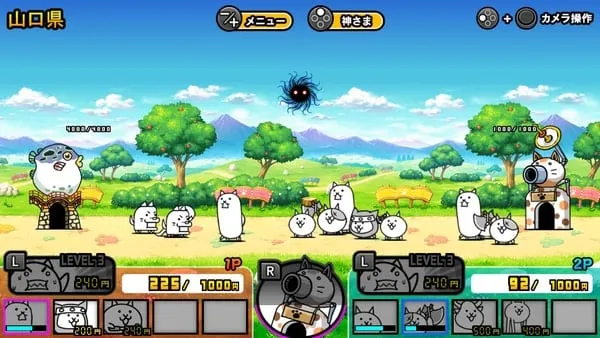
Why Play The Battle Cats on PC?
Playing The Battle Cats on computer offers major advantages over mobile gaming. The first benefit is the larger display, which makes battles, unit icons, and enemy animations much easier to see. No more squinting at tiny screens or accidentally pressing the wrong unit. With mouse and keyboard support, summoning cats becomes faster, giving you a strategic edge in later stages where timing is everything.
You also avoid common mobile problems no overheating, no lag spikes, no battery drain, and no notifications interrupting battles. Plus, you can run the game while multitasking, streaming, or chatting without performance loss. The PC version also supports cross-platform progress syncing, meaning you can switch between mobile and PC anytime using the same account. Whether you want more control, better visuals, or long gaming sessions without charging your device, playing The Battle Cats on PC is the smartest choice.
FAQs
Is The Battle Cats officially available on PC?
The Battle Cats was originally released for Android and iOS, but it can be played on PC using a fully compatible desktop version. The download button on this page provides a safe and working PC-friendly build that runs on Windows without issues.
Can I use my mobile account on the PC version?
Yes. The game allows you to transfer progress using your account login or a transfer code. Your cats, XP, Cat Food, treasures, and rare units will all sync across devices, so you won’t lose anything.
Does The Battle Cats PC support keyboard and mouse controls?
Yes. You can play with mouse-only controls or assign hotkeys for faster unit deployment. Many players prefer keyboard shortcuts because they make summoning cats during boss fights much faster.
Is The Battle Cats free to play on PC?
Yes, just like the mobile version, the PC version is completely free. Optional in-game purchases such as Cat Food or Gacha rolls are still available but not required to beat the game.
Will The Battle Cats run on low-end laptops or old PCs?
Absolutely. The game is lightweight, uses very little RAM, and doesn’t need a dedicated graphics card. It runs smoothly even on older Windows devices, school laptops, and office PCs.
Conclusion
The Battle Cats PC is one of the most charming and addictive tower defense games ever made, and playing it on PC makes the experience even better bigger screen, smoother controls, no battery drain, and instant performance. Whether you’re building your first cat army or grinding for rare uber units, the Battle Cats PC version is the easiest and most enjoyable way to play. Ready to start conquering the world one cat base at a time? Click the Download button on this page and begin your fluffy invasion today!


