Plants Vs. Zombies PC
Defend your lawn from hilarious zombies in Plants Vs. Zombies PC! Enjoy fun strategy gameplay, quirky plants, and thrilling tower defense battles on your computer.
Few games have managed to blend humor, strategy, and chaos as perfectly as Plants Vs. Zombies PC. Developed by PopCap Games and published by Electronic Arts (EA), this timeless tower defense game has been entertaining millions of players worldwide since its first release in 2009. With its quirky characters, witty design, and surprisingly deep strategy, it has become one of the most iconic casual games ever made.
In Plants Vs. Zombies PC version, players defend their home from hilarious waves of zombies by strategically placing plants, each with unique abilities. From the friendly Sunflower that provides resources to the powerful Cherry Bomb that wipes out hordes, every plant plays a critical role in stopping the undead invasion. Its blend of simplicity and challenge has kept both casual and hardcore gamers hooked for years.
If you’ve never experienced the joy of planting your army and outsmarting the undead, this is your chance! You can download Plants Vs. Zombies for PC safely from the link provided on this page and enjoy an upgraded gaming experience with crisp graphics, smooth controls, and hours of zombie-busting fun.
Features
Addictive Tower Defense Gameplay
Plants Vs. Zombies PC delivers the perfect balance of fun and strategy. Players must defend their lawn from hordes of zombies using plants with different attack powers and functions. Timing and placement are key, making every level a fresh challenge.
Diverse Range of Plants and Zombies
The game features over 40 unique plants from Peashooters to Wall-nuts and dozens of quirky zombies, each with special abilities. Some wear traffic cones for armor, while others use ladders or dig underground, keeping the gameplay unpredictable.
Multiple Game Modes
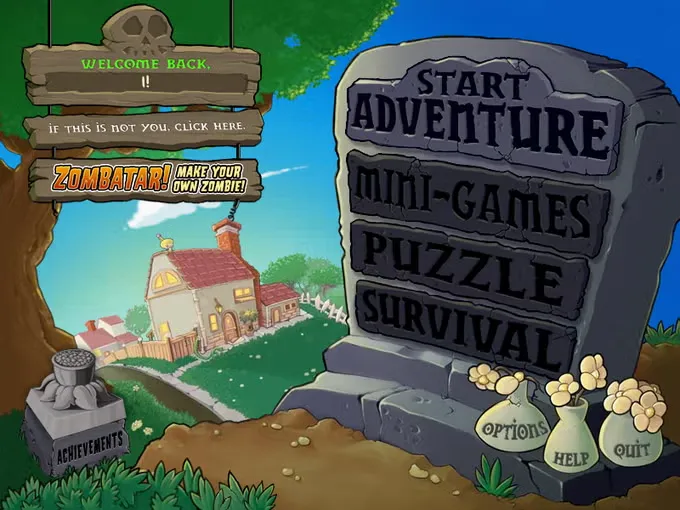
Beyond the standard Adventure Mode, Plants Vs. Zombies PC version includes Mini-games, Puzzle mode, and Survival mode. Each offers new challenges that test your strategy and adaptability.
Charming Graphics and Music
The colorful cartoon visuals and catchy background music make the experience delightful. The game’s art style has aged gracefully, appealing to gamers of all ages.
Progressive Difficulty Curve
The game starts off easy, introducing you to core mechanics. But as you advance, the zombies get tougher and more creative, ensuring long-term engagement.
Zen Garden Mode
After unlocking this feature, players can relax by growing their plants in the Zen Garden, earning extra coins and enjoying a peaceful break from battles.
Crazy Dave and the Shop
Your eccentric neighbor Crazy Dave offers advice, humor, and upgrades through his shop, where you can buy powerful plants, defensive items, and garden decorations.
Achievements and Rewards
Players can unlock over 20 achievements for completing unique challenges an extra incentive for perfectionists.
Optimized for PC Controls
Playing Plants Vs. Zombies on computer gives you precision mouse control, faster reaction times, and smoother navigation compared to mobile.
Offline Play
Once installed, Plants Vs. Zombies PC version can be enjoyed completely offline perfect for gaming on the go or during downtime.
How to Download Plants Vs. Zombies on PC
- Click the Download button on this page to safely get the latest PC build.
- Choose your platform (Windows recommended; Mac/Linux may also be available if listed).
- When prompted, Save the file to an easy location (e.g., Downloads or Desktop).
- If the file is a .zip (or .rar), right-click it and select Extract All… to a new folder.
- Open the extracted folder and double-click
Plants Vs. Zombies PC.exeto launch. - If Windows SmartScreen appears, click More info → Run anyway (only proceed if you downloaded from the button on this page).
- Optional: right-click the .exe and choose Create shortcut to pin it to Start/Desktop.
- In Options/Settings, set fullscreen/windowed, audio levels, and keybinds (WASD/Arrows).
- For future updates, return to this page and click the Download button again, then replace your old game folder with the new one.
System Requirements
| Category | Minimum Requirements | Recommended Requirements |
|---|---|---|
| Operating System | Windows XP / Vista / 7 / 8 / 10 | Windows 10 or higher |
| Processor | 1.2 GHz or faster | 2.0 GHz dual-core |
| Memory (RAM) | 512 MB | 1 GB or more |
| Graphics Card | DirectX 8.0 compatible | DirectX 9.0 compatible |
| Storage Space | 65 MB free space | 100 MB free space |
| Sound Card | DirectX-compatible sound card | Same or better |
How to Play Plants Vs. Zombies on PC?
The gameplay is simple yet strategic. You begin each level with a limited number of seed packets representing your plants. Using Sunlight points collected during gameplay, you can grow plants across your lawn to fight off the zombie horde.
As you progress, you’ll unlock new plants with special powers like the Snow Pea, which slows enemies, or the Repeater, which fires multiple peas at once. Managing resources wisely and anticipating zombie attacks is key to success. Each new stage introduces creative challenges, such as night levels or pool stages, ensuring that gameplay never becomes repetitive.
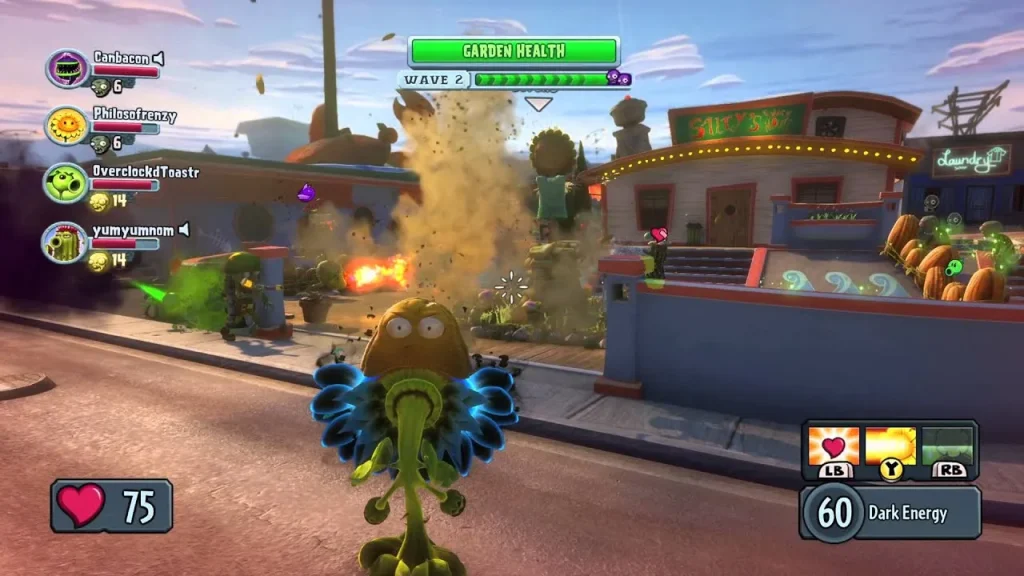
Why Play Plants Vs. Zombies on PC?
Playing Plants Vs. Zombies on PC offers several advantages over mobile versions. You’ll experience enhanced graphics, smoother performance, and intuitive mouse control that makes planting and harvesting faster and easier.
Moreover, PC gaming eliminates issues like battery drain and screen size limitations. You can enjoy marathon gaming sessions, multitask between applications, and even sync your progress across platforms with some modern editions.
FAQs
Is Plants Vs. Zombies PC free to download?
The original Plants Vs. Zombies PC version often comes with a free trial. Some official platforms also offer the game at discounted rates or as part of bundles. Always check for legitimate sources before downloading.
Can I play Plants Vs. Zombies offline on PC?
Yes! Once downloaded and installed, you can enjoy Plants Vs. Zombies PC version completely offline. Internet is only needed for the initial setup or updates.
Is Plants Vs. Zombies on PC different from the mobile version?
The PC version features better graphics, faster performance, and more responsive controls. It’s ideal for players who prefer precision and larger displays.
How do I save progress in Plants Vs. Zombies PC?
Your game progress is automatically saved after each level. You can continue from where you left off even after closing the game.
Can I play Plants Vs. Zombies PC on Windows 11?
Yes, Plants Vs. Zombies on PC runs smoothly on Windows 11 as long as your device meets the system requirements.
Conclusion
Plants Vs. Zombies PC remains a masterpiece of fun, strategy, and charm. Whether you’re a first-time player or a nostalgic fan revisiting the classic, this tower defense gem never fails to entertain.
So what are you waiting for? Click the download button on this page and start your battle to protect your lawn today!