Plants Vs. Zombies 2 PC
Defend your garden in Plants Vs. Zombies 2 PC! Build your plant army, battle hilarious zombies, and enjoy upgraded graphics and strategy-packed tower defense fun.
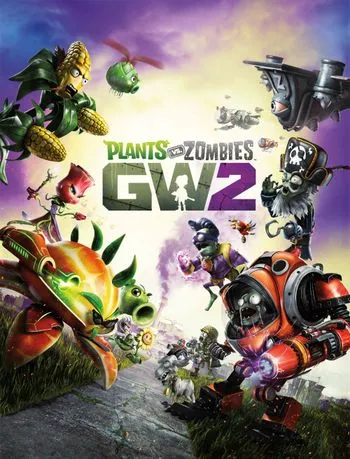
If you’re a fan of quirky tower defense action and want to experience that thrill on your desktop, Plants Vs. Zombies 2 PC brings the best of both worlds a familiar mobile classic expanded onto a larger screen. Whether you grew up placing Sunflowers and Peashooters or you’re curious about jumping into the time-bending adventure for the first time, the PC version (or port) gives you more control, sharper visuals, and hours of fun.
Originally developed by PopCap Games and published by Electronic Arts (EA), the Plants Vs. Zombies franchise has won millions of hearts with its blend of humor, strategy, and chaotic zombie invasions. The sequel, Plants Vs. Zombies 2, introduces new worlds, time travel themes, and fresh plant/zombie combinations. Many players now look to play Plants Vs. Zombies 2 on computer to enjoy it on a bigger screen, often via emulators that allow the mobile game to run smoothly on Windows.
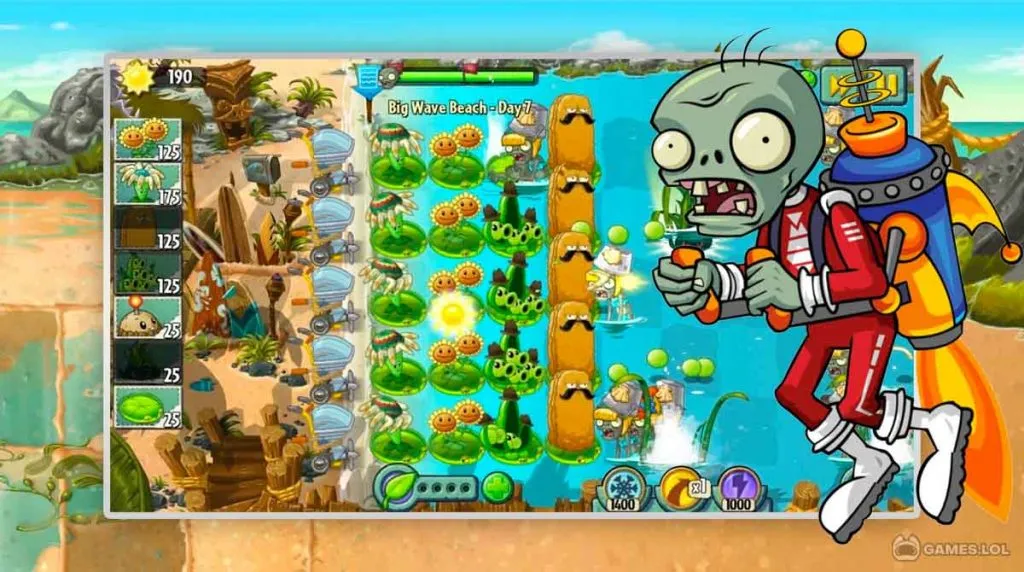
Gameplay-wise, this tower defense gem challenges you to build a plant army along five lanes, generating “sun” to purchase new plants, and deploying flora like Peashooters, Wall-nuts, and Snapdragon to block waves of zombies. With various time periods like Ancient Egypt, Pirate Seas, and even the Ice Age, the game keeps evolving to push your strategic thinking.
If you’re eager to get started, download Plants Vs. Zombies 2 for PC via the button on this page (see below), and let’s step into the garden of mayhem together. The next sections cover everything from features to system requirements to playing tips so gear up and enjoy the undead-plant warfare.
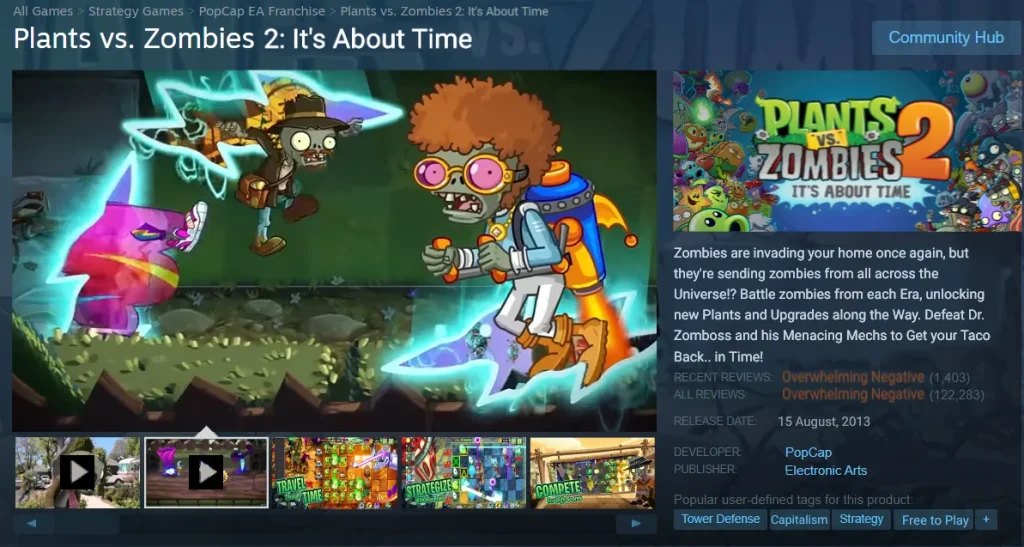
Features
Time-Traveling Worlds
Unlike the original game, Plants Vs. Zombies 2 PC takes you on an adventure through time. You’ll battle zombies in Ancient Egypt, Pirate Seas, Wild West, Far Future, and more. Each world has its own theme, soundtrack, and unique zombie types keeping gameplay fresh and exciting with every chapter.
Expansive Plant Collection
Build your defenses using over 100 unique plants, each with its own abilities and upgrade paths. From the classic Peashooter and Sunflower to advanced fighters like Bonk Choy, Snapdragon, and Laser Bean, there’s always a new strategy to explore. Upgrading plants also enhances their strength, range, and special effects.
Challenging Zombie Variety
The undead army isn’t just slow walkers anymore. You’ll face Conehead Zombies, Ra Zombie Pharaohs, Pirate Captains, Jetpack Zombies, and the mighty Gargantuar. Each type has specific weaknesses and attack styles testing your ability to adapt your defenses strategically.
Plant Food Power-Ups
One of the most exciting additions in Plants Vs. Zombies 2 PC is Plant Food a glowing boost that supercharges your plants temporarily. Each plant has its own special ability when powered up, such as rapid-fire peas or instant sun production. Knowing when to use Plant Food can turn the tide in tough battles.
Strategic Tower Defense Gameplay
This is a strategy-based tower defense game. Players must manage sunlight (the in-game currency) wisely, choose the right plants, and position them effectively across five lanes. Timing, placement, and resource management are key to victory.
Daily Challenges and Quests
The Daily Pinata Party and limited-time events reward players with coins, gems, and rare plant unlocks. These daily challenges encourage consistent play and keep the experience fresh with new objectives and difficulty levels.
Upgradable Power Plants and Boosts
The PC version allows better management of plant upgrades and boosts. As you earn coins, you can level up your plants, increasing their damage, defense, and recharge rates making your garden stronger against tougher zombie waves.
Enhanced Graphics on PC
Playing Plants Vs. Zombies 2 on PC gives you crisp HD visuals and smooth animation. The game looks fantastic on larger monitors, letting you appreciate every detail from the vibrant colors of your plants to the comical expressions of the zombies.
Cloud Sync and Account Linking
By linking your EA or Google Play account, your progress can sync across devices. This means you can play on mobile and continue your adventure on PC seamlessly perfect for players who switch between platforms.
Endless Replayability
Even after completing the main worlds, Endless Zones, mini-games, and special missions keep the game going indefinitely. Each replay offers new challenges, plant combinations, and zombies ensuring long-term enjoyment for every type of gamer.
How to Download Plants Vs. Zombies 2 on PC?
- Click the Download button on this page to safely get the latest PC build.
- Choose your platform (Windows recommended; Mac/Linux may also be available if listed).
- When prompted, Save the file to an easy location (e.g., Downloads or Desktop).
- If the file is a .zip (or .rar), right-click it and select Extract All… to a new folder.
- Open the extracted folder and double-click
Plants Vs. Zombies 2 PC.exeto launch. - If Windows SmartScreen appears, click More info → Run anyway (only proceed if you downloaded from the button on this page).
- Optional: right-click the .exe and choose Create shortcut to pin it to Start/Desktop.
- In Options/Settings, set fullscreen/windowed, audio levels, and keybinds (WASD/Arrows).
- For future updates, return to this page and click the Download button again, then replace your old game folder with the new one.
System Requirements
Here are the recommended and minimum specs your PC should have to play Plants Vs. Zombies 2 PC / via emulator:
| Component | Minimum Requirement | Recommended (for smooth play) |
|---|---|---|
| Operating System | Windows 7, 8, or newer | Windows 10 / Windows 11 |
| CPU / Processor | Dual-core 1.8 GHz | Quad-core 2.5 GHz or higher |
| RAM | 2 GB | 4 GB or more |
| Graphics (GPU) | Integrated graphics (Intel HD) | Dedicated GPU (NVIDIA / AMD) or strong integrated |
| Storage / Disk Space | 2 GB free space | 5–10 GB free space |
| DirectX / Drivers | DirectX 9.0c or latest version | Up-to-date graphics drivers |
| Internet | Required for first setup / updates | Stable broadband connection |
These specs apply to running the emulator plus the game. For smoother performance especially when many zombies and plants appear opt for higher RAM and a modern CPU.
How to Play Plants Vs. Zombies 2 on PC?
Once you have Plants Vs. Zombies 2 PC version installed via emulator, jump into the action by selecting a world or level. The game will place you on a grid of five horizontal lanes. You’ll collect sun currency generated by Sunflowers or falling from the sky to plant new defenses like Peashooters, Wall-nuts, or Snapdragons. As waves of zombies advance from the right, your goal is to prevent them from crossing the left edge of your lawn. Use Plant Food power-ups wisely during difficult waves.
You can pause between waves, plan your layout, and drag plants into position. Keyboard and mouse controls translate naturally the left-click plants, right-click to remove, etc. As you unlock new plants and pass through time periods, levels escalate in difficulty. Boss levels and mini-games will test your resource economy, multitasking, and strategic placement skills. Over time, you’ll learn which combinations counter specific zombie types (e.g. balloon zombies, vaulting zombies, Gargantuars), making more advanced plays possible.

Why Play Plants Vs. Zombies 2 on PC?
First, the larger screen immerses you more deeply in the cartoonish mayhem of plants vs zombies, letting you see every detail of the lawn, animations, and effects. Second, keyboard and mouse control often feel more precise and responsive compared to touch, especially in tight moments. Also, you avoid battery drain and performance throttling common on mobile devices and multitasking with other PC apps is easier.
Furthermore, many players appreciate potential cross-platform progress syncing (if permitted by EA/PopCap), letting you switch between mobile and PC seamlessly. All of these make the Plants Vs. Zombies ’ PC version a compelling way to enjoy this tower defense classic with added convenience and power.
FAQs
Is Plants Vs. Zombies 2 PC version officially released by EA?
While Plants Vs. Zombies 2 was originally developed for iOS/Android, the PC experience is typically enabled via emulators like BlueStacks. EA itself doesn’t offer a native Windows version of PvZ 2.
Can I play offline after downloading Plants Vs. Zombies 2 on PC?
Yes once downloaded, many core levels and campaigns can be played offline. However, live events, updates, or cloud syncing may require internet access.
Will playing on PC give me an unfair advantage?
Not really the game mechanics remain the same. You’ll just enjoy smoother visuals and more comfortable controls. Enemies, plants, and challenges remain balanced.
How do I sync my mobile progress with the PC version?
If the game is connected to your EA or Google account, progress may carry over provided the emulator and the mobile client both allow it. Always back up your cloud saves before switching platforms.
Are there in-game purchases or paywalls on the PC version?
Yes the underlying Plants Vs. Zombies 2 PC game includes optional in-game purchases (coins, special plants, etc.). The PC version (via emulator) retains these monetization options.
Conclusion
Whether you’re a longtime fan or a newcomer, Plants Vs. Zombies 2 PC lets you enjoy the same addictive tower defense mayhem on your desktop. With its time-travel worlds, rich plant/zombie variety, and fun challenges, it’s a must-try. Just click the download button above, install via the emulator, and start defending your brain from the undead hordes. Happy planting and may your peas be ever accurate!