Cities: Skylines 2 PC
Design and manage a thriving metropolis in Cities: Skylines 2 PC. Shape landscapes, control traffic, balance resources, and create your ultimate city-building experience.

Cities: Skylines 2 PC is the highly anticipated sequel to one of the most beloved city-building simulations ever created. Developed by Colossal Order and published by Paradox Interactive, this title sets a new benchmark in the genre by offering deeper mechanics, larger maps, and improved visuals. Unlike console versions, the PC edition is considered the definitive way to play, delivering smoother performance, enhanced controls, and full modding support. For players who want the most authentic experience, Cities: Skylines 2 on PC remains the ultimate choice.
The game is a true sandbox that grants players unparalleled freedom to design and manage sprawling urban landscapes. You can carefully plan road systems, organize zoning districts, balance public services, and respond to the ever-changing needs of your citizens. The advanced hardware capabilities of modern PCs allow for seamless simulations of massive cities with complex systems at work, whether it’s public transportation networks, industrial supply chains, or environmental management. Every decision feels impactful, making each city unique and tailored to the player’s vision.
Cities: Skylines 2 PC continues the franchise’s tradition of inspiring creativity and innovation within the community. The thriving modding scene ensures that no two players will ever share the same experience, with thousands of custom buildings, tools, and mechanics available to expand the game. Over the years, Cities: Skylines has grown into more than just entertainment—it has become a cultural phenomenon, used by hobbyists and even professionals to explore ideas in urban design. With its strong legacy, enhanced features, and limitless potential for creativity, the PC version of Cities: Skylines 2 cements its place as the definitive city-building experience for gamers around the world.
Features
Stunning Visual Upgrades
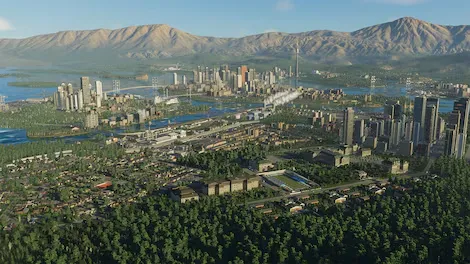
Cities: Skylines 2 PC brings breathtaking graphical improvements over its predecessor. Realistic lighting, shadows, and weather effects make cities feel alive. Skyscrapers glisten during sunrise, traffic lights reflect on wet roads after rain, and every detail of the environment feels immersive.
Larger Maps and Expanded City Limits
The PC version allows players to build on massive maps with far greater population limits. This means more room for highways, districts, and ambitious designs without worrying about running out of space. Cities can now grow into realistic metropolitan regions that feel dynamic and alive.
Advanced Traffic and Pathfinding System
Managing traffic has always been central to the Skylines franchise. In Cities: Skylines 2, a new AI-driven traffic system makes vehicles behave more realistically. Players can design highways, roundabouts, and public transport routes to prevent gridlock. The challenge of urban mobility is deeper than ever.
Complex Economic Simulation
The in-game economy is more detailed, reflecting real-world systems. Taxes, imports, exports, and business demand now play a greater role in your city’s success. Players must strike a balance between citizen satisfaction and economic growth, making financial management a rewarding challenge.
Environmental and Climate Dynamics
Cities: Skylines 2 PC introduces climate mechanics, seasonal changes, and environmental hazards. Players must prepare for natural disasters, manage pollution, and adopt eco-friendly policies to create sustainable cities. This system adds long-term strategic depth to city management.
Citizen Life and Behavior AI
Each citizen has routines, jobs, families, and needs. Unlike generic simulations, these individuals actively interact with your infrastructure and policies. Monitoring citizen satisfaction is essential, as their happiness directly impacts growth, migration, and productivity.
Enhanced Zoning and District Tools
Zoning in Cities: Skylines 2 PC is more flexible than ever. Players can designate specialized districts, apply unique policies, and fine-tune density levels. From quiet suburban neighborhoods to industrial powerhouses, every district reflects the player’s vision and strategy.
Robust Modding Support
As with the original, modding is central to the PC version. Steam Workshop integration ensures players can access thousands of mods, including custom assets, gameplay mechanics, and quality-of-life tools. This community-driven content keeps the game endlessly fresh and customizable.
Public Services and Infrastructure Variety
From healthcare and education to energy grids and public transport, managing services is more nuanced in Cities: Skylines 2. The PC version introduces new service buildings and infrastructure options that let players solve challenges in creative ways.
Cross-Platform Progress Syncing
One of the most player-friendly features is cross-platform progress syncing. While the PC remains the best platform for performance and mods, this feature allows gamers to continue their progress on other systems, adding flexibility without sacrificing the depth of the PC experience.

How to Download Cities: Skylines 2 on PC?
- Click the Download button on this page to safely get the latest PC build.
- Choose your platform (Windows recommended; Mac/Linux may also be available if listed).
- When prompted, Save the file to an easy location (e.g., Downloads or Desktop).
- If the file is a .zip (or .rar), right-click it and select Extract All… to a new folder.
- Open the extracted folder and double-click
Cities: Skylines 2 PC.exeto launch. - If Windows SmartScreen appears, click More info → Run anyway (only proceed if you downloaded from the button on this page).
- Optional: right-click the .exe and choose Create shortcut to pin it to Start/Desktop.
- In Options/Settings, set fullscreen/windowed, audio levels, and keybinds (WASD/Arrows).
- For future updates, return to this page and click the Download button again, then replace your old game folder with the new one.
System Requirements
| Specification | Minimum Requirements | Recommended Requirements |
|---|---|---|
| OS | Windows 10 (64-bit) | Windows 11 (64-bit) |
| Processor | Intel Core i5-8600K / AMD Ryzen 5 3600 | Intel Core i7-9700K / AMD Ryzen 7 3700X |
| Memory (RAM) | 8 GB | 16 GB |
| Graphics | NVIDIA GTX 970 / AMD RX 480 | NVIDIA RTX 3060 / AMD RX 6700 XT |
| Storage | 30 GB available space | 30 GB SSD for faster loading |
| DirectX | Version 11 | Version 12 |
How to Play Cities: Skylines 2 on PC?
Playing Cities: Skylines 2 PC begins with understanding the fundamentals of city planning and management. After launching the game, players start with a large, open plot of land where they can design the foundations of their future metropolis. The first steps usually include setting up essential infrastructure such as roads, zoning for residential, commercial, and industrial areas, and ensuring basic utilities like electricity, water, and sewage systems. On PC, the keyboard and mouse controls make these processes seamless, allowing you to zoom in for fine detail or zoom out for broader planning. As your population grows, new challenges such as traffic congestion, healthcare, education, and public safety arise, demanding strategic planning and efficient resource allocation.
As the city expands, the gameplay deepens into balancing the economy, maintaining citizen happiness, and designing a sustainable urban ecosystem. Players can explore advanced features like public transport systems, green energy, taxation policies, and specialized districts. One of the greatest advantages of the PC version is access to mods and custom content, which allow you to enhance realism or experiment with creative city designs. Whether you’re focused on building a bustling mega-city or a small, eco-friendly town, Cities: Skylines 2 on PC offers the flexibility and tools to bring your vision to life with unparalleled depth and control.
Why Play Cities: Skylines 2 on PC?
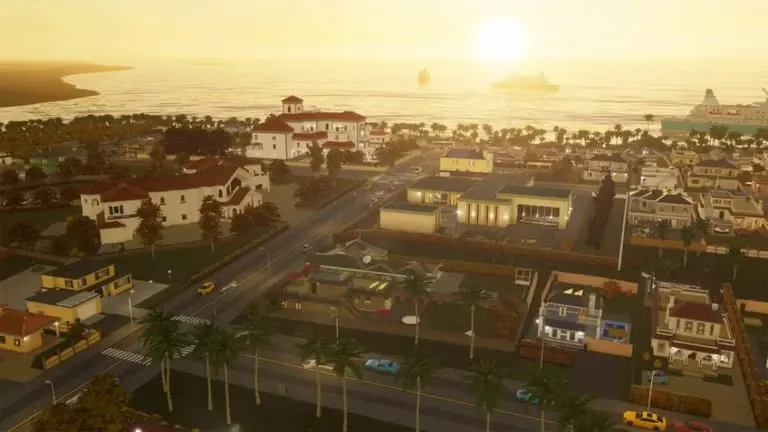
Playing Cities: Skylines 2 PC offers an experience that simply cannot be matched on other platforms. The enhanced graphics, faster performance, and precision of keyboard and mouse controls make managing complex cities smooth and intuitive. PC hardware also supports larger maps, higher population counts, and detailed simulations that console versions may struggle to handle. For players who want to design cities without technical limitations, the PC version provides the most complete and optimized environment.
Beyond performance, the PC edition stands out because of its thriving modding community. Thousands of mods, custom buildings, and gameplay tweaks are available, letting players tailor the game exactly to their liking. On PC, there’s no worry about battery drain or restrictive controls, and features like cross-platform progress syncing add flexibility for gamers who move between devices. For creativity, strategy, and long-term replay value, Cities: Skylines 2 on PC remains the ultimate choice.
FAQs
Is Cities: Skylines 2 available on PC?
Yes, Cities: Skylines 2 is fully available on PC, developed by Colossal Order and published by Paradox Interactive. The PC version is considered the definitive way to play because it offers superior performance, mod support, and the largest maps compared to console editions.
Can I play Cities: Skylines 2 on a low-end computer?
It’s possible, but the experience may be limited. If your PC meets only the minimum requirements, you may need to lower graphical settings and limit city size. For smooth gameplay, it is recommended to meet or exceed the recommended system requirements listed above.
Does Cities: Skylines 2 support mods on PC?
Yes, modding is one of the strongest features of the PC version. Players can access the Steam Workshop to install custom buildings, assets, and gameplay tweaks, ensuring unlimited creativity and replayability.
How big can cities get in Cities: Skylines 2 PC?
On PC, cities can grow much larger than on console due to stronger hardware support. Massive maps with millions of citizens are possible, giving players the ability to create sprawling metropolitan regions.
Can I transfer my save files across devices?
Yes, Cities: Skylines 2 PC supports cross-platform progress syncing. This means you can continue your city on different devices, though mods may affect compatibility between platforms.
Is multiplayer available in Cities: Skylines 2?
Currently, Cities: Skylines 2 is a single-player game focused on individual city-building and management. However, the active modding community may introduce multiplayer or co-op experiences in the future.
How do I safely download Cities: Skylines 2 for PC?
You can securely download the game by clicking the download button provided on this page. Always ensure you install from trusted sources to avoid issues and enjoy the latest version of the game.
Conclusion
Cities: Skylines 2 PC is the ultimate city-building experience, combining creativity, strategy, and realism in one powerful package. With enhanced graphics, deeper mechanics, and endless customization through mods, it offers players the freedom to design and manage cities like never before. The PC version remains the definitive way to play, delivering smooth performance, larger maps, and unmatched control. If you’re ready to shape your dream metropolis, click the download button on this page and start building your legacy today.