Garena Free Fire PC
Play Garena Free Fire on PC for smoother graphics, better controls, and seamless cross-platform play. Download now to experience the ultimate battle royale!
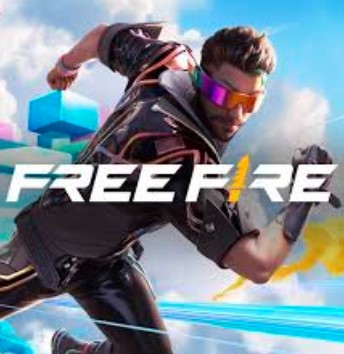
Garena Free Fire PC is the desktop version of one of the world’s most popular battle royale video games Garena Free Fire. Developed by 111 Dots Studio and published by Garena, this adrenaline-packed game has taken the gaming world by storm, attracting over one billion downloads on mobile platforms. With its intense 10-minute survival matches, stunning visuals, and global fanbase, Free Fire offers an unmatched gaming experience that continues to dominate the mobile esports landscape.
But what if you could take that excitement beyond the small screen? Now, you can play Garena Free Fire on PC and enjoy smoother graphics, responsive controls, and immersive gameplay on a larger display. Whether you’re a beginner trying to improve your aim or a veteran chasing Booyah! moments, the Garena Free Fire PC version opens the door to next-level performance.
This article will walk you through everything you need to know about downloading and playing Garena Free Fire on your computer from system requirements and key features to gameplay tips and FAQs. So, grab your headset and get ready to download Garena Free Fire for PC using the button below and start your journey toward survival supremacy.
Features
Fast-Paced Battle Royale Matches
Each match in Garena Free Fire PC is short, thrilling, and action-packed. Fifty players drop onto an island, scavenging for weapons and resources while fighting to be the last one standing. The matches last around 10 minutes, making it perfect for gamers who prefer quick yet intense gameplay sessions. It’s easy to jump in, compete, and aim for that Booyah! moment.
Enhanced HD Graphics on PC
The PC version of Garena Free Fire delivers high-definition visuals that bring every battlefield to life. Players can enjoy smoother textures, detailed environments, and realistic effects that enhance immersion. When played on a computer, the graphics settings can be maxed out, ensuring lag-free gameplay and crystal-clear clarity for spotting enemies from a distance.
Seamless Keyboard and Mouse Controls
Playing Garena Free Fire on PC offers full keyboard and mouse compatibility. Instead of touchscreen inputs, players gain precise aiming, faster shooting, and more responsive movement. Emulators like BlueStacks or GameLoop allow you to customize key mapping for every action, giving you a significant competitive advantage.
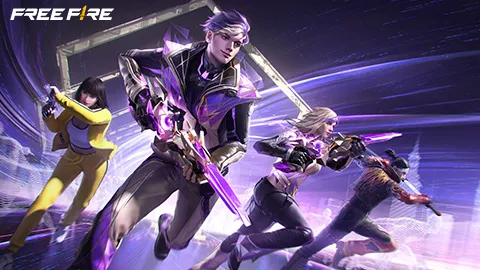
Diverse Character Roster with Unique Abilities
Free Fire features a rich cast of over 50 characters, each equipped with special skills that can influence combat. For example, DJ Alok boosts healing and speed, while Chrono creates a protective force field. These abilities encourage strategy and allow players to personalize their playstyle depending on their team role.
Wide Range of Weapons and Gear
The game boasts an impressive collection of firearms, melee weapons, and throwables. From sniper rifles and shotguns to grenades and medkits, Garena Free Fire PC ensures that every player can find their perfect loadout. The weapon variety adds depth and encourages tactical decisions during combat.
Regular Events and Seasonal Updates
Garena consistently introduces new events, collaborations, and rewards. These updates keep gameplay exciting and fresh for both mobile and PC players. Players can earn limited-time skins, characters, and items by participating in special missions or themed events.
Customizable Loadouts and Settings
Before each match, players can set up their preferred equipment, pet companions, and emotes. The Free Fire PC version also allows users to adjust sensitivity, graphics, and key bindings easily, creating a personalized and comfortable gameplay experience.
Multiple Game Modes
Besides the classic battle royale mode, Free Fire includes Clash Squad, Lone Wolf, and special event-based modes. These offer different challenges from team fights to solo duels ensuring there’s always something new to master.
Cross-Platform Account Syncing
One of the most convenient features is the ability to sync your progress across devices. By linking your account to Google, Facebook, or Garena, you can switch between mobile and Garena Free Fire PC without losing progress, stats, or unlocked items.
Free to Play with Premium Options
Garena Free Fire PC is free to download and play, offering everyone access to its full battle royale experience. However, players who wish to enhance their appearance or collection can purchase premium cosmetics, Elite Passes, and exclusive skins none of which are pay-to-win, maintaining fairness across the battlefield.
How to Download Garena Free Fire on PC?
- Click the Download button on this page to safely get the latest PC build.
- Choose your platform (Windows recommended; Mac/Linux may also be available if listed).
- When prompted, Save the file to an easy location (e.g., Downloads or Desktop).
- If the file is a .zip (or .rar), right-click it and select Extract All… to a new folder.
- Open the extracted folder and double-click
Garena Free Fire PC.exeto launch. - If Windows SmartScreen appears, click More info → Run anyway (only proceed if you downloaded from the button on this page).
- Optional: right-click the .exe and choose Create shortcut to pin it to Start/Desktop.
- In Options/Settings, set fullscreen/windowed, audio levels, and keybinds (WASD/Arrows).
System Requirements
Here are the minimum and recommended system specifications to run Garena Free Fire smoothly on PC.
| Specification | Minimum Requirements | Recommended Requirements |
|---|---|---|
| Operating System | Windows 7/8/10 (64-bit) | Windows 10/11 (64-bit) |
| Processor (CPU) | Intel Core i3 2.4GHz | Intel Core i5 or higher |
| RAM | 4 GB | 8 GB or more |
| Graphics Card | Intel HD Graphics 4000 | NVIDIA GeForce GTX 1050 or AMD equivalent |
| Storage | 4 GB free space | 6 GB free space |
| Internet Connection | Stable broadband | High-speed internet |
| Emulator | BlueStacks, GameLoop, NoxPlayer | BlueStacks 5 (latest version) |
How to Play Garena Free Fire on PC?
Playing Garena Free Fire PC is a seamless experience that brings all the intensity of the mobile version to a larger screen with improved control and precision. Once you’ve installed the game using an emulator such as BlueStacks, GameLoop, or NoxPlayer, launch the app and log in with your Garena, Google, or Facebook account to sync your progress. You’ll be greeted by the same familiar lobby, where you can choose characters, customize your loadout, and queue up for your preferred game mode.
In battle, you can move using the WASD keys, aim and shoot with your mouse, and use number keys to switch weapons quickly. The emulator’s control panel allows you to fine-tune sensitivity, graphics, and key mapping for a personalized setup. Playing Garena Free Fire on computer not only enhances gameplay speed and accuracy but also ensures lag-free performance perfect for securing that satisfying Booyah! in every match.
Why Play Garena Free Fire on PC?
There are several compelling reasons why gamers prefer the Garena Free Fire PC version over mobile. The first advantage is enhanced graphics the visuals look sharper, the environments are more detailed, and movements appear smoother. With keyboard and mouse controls, aiming, shooting, and movement feel more responsive and professional, giving you an edge in competitive matches.
Additionally, playing Free Fire on PC eliminates mobile limitations like overheating, lag, or battery drain. You can enjoy longer sessions, multitask easily, and even stream your gameplay without interruptions. The cross-platform progress syncing feature ensures you can switch between mobile and PC anytime without losing your achievements or items. Overall, Garena Free Fire PC offers a more immersive, efficient, and competitive gaming experience that both casual and pro players can appreciate.
FAQs
Can I play Garena Free Fire on PC without using an emulator?
Currently, there isn’t an official standalone PC version of Garena Free Fire. However, players can easily play Garena Free Fire on PC using trusted Android emulators like BlueStacks, GameLoop, or NoxPlayer. These emulators create a virtual Android environment on your computer, allowing you to download and play Free Fire directly from the Google Play Store with enhanced controls and graphics.
Is Garena Free Fire PC free to download and play?
Yes! Garena Free Fire PC is completely free to download and play. You can enjoy the full battle royale experience without paying a single cent. Optional in-game purchases are available for cosmetic items such as weapon skins, character outfits, and Elite Passes but none of these items provide a gameplay advantage, keeping Free Fire fair and balanced for all players.
How do I link my Free Fire mobile account to my PC?
To keep your progress synchronized, log in to Garena Free Fire PC using the same account credentials you use on mobile whether it’s your Garena, Facebook, or Google account. Once connected, your achievements, characters, and skins automatically sync, letting you switch between platforms anytime without losing data or progress.
4. Which emulator is best for Garena Free Fire PC gameplay?
While several emulators support the game, BlueStacks 5 is highly recommended for its optimized performance, smooth gameplay, and customizable control options. It also consumes fewer system resources compared to older versions. Alternatively, GameLoop, developed by Tencent, offers excellent compatibility and low-latency controls tailored for shooters like Free Fire PC.
Is Garena Free Fire PC safe to install?
Yes, as long as you download the game through official sources or trusted emulators. Avoid third-party websites or unofficial links, as they may contain harmful files or pirated versions. Downloading Garena Free Fire PC through the official BlueStacks or GameLoop platforms ensures a secure, virus-free installation and access to the latest updates directly from Garena.
Conclusion
Garena Free Fire PC takes the excitement of mobile battle royale gaming to a whole new level. With stunning graphics, fluid controls, and seamless cross-platform syncing, it’s the ultimate way to experience Free Fire like never before. Whether you’re after smoother gameplay or an immersive big-screen adventure, the PC version delivers on all fronts. Don’t wait click the Download Garena Free Fire for PC button on this page and jump straight into the action to claim your Booyah! today!a Free Fire for PC button on this page and claim your Booyah! today!