GTA San Andreas PC
Download GTA San Andreas PC and explore an open-world adventure with CJ. Enjoy mods, missions, and smooth controls on your computer.
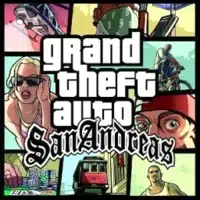
Few open-world titles have left a mark as big as GTA San Andreas PC, a definitive version of Rockstar Games’ legendary classic. Originally released in 2004, GTA San Andreas has stood the test of time by offering one of the most immersive, free-form gaming experiences ever created. While available on multiple platforms, the PC version continues to be the gold standard for fans who crave freedom, performance, and endless modding possibilities.
What makes GTA San Andreas on PC so unique is its blend of rich sandbox mechanics and freedom. Players step into the shoes of Carl “CJ” Johnson as he navigates gang wars, corruption, and family ties across the sprawling state of San Andreas. The PC version lets players experience larger draw distances, enhanced resolution, and smoother controls compared to consoles, making it the ultimate way to dive back into Los Santos, San Fierro, and Las Venturas.
Beyond its technical strengths, GTA San Andreas PC version has carved out a lasting cultural impact. The thriving modding community has kept the game alive for decades, introducing new graphics, vehicles, missions, and even entire map overhauls. With millions of downloads and countless YouTube videos still celebrating the game, San Andreas has achieved legendary viral status cementing its place as not just a game but a cultural phenomenon.
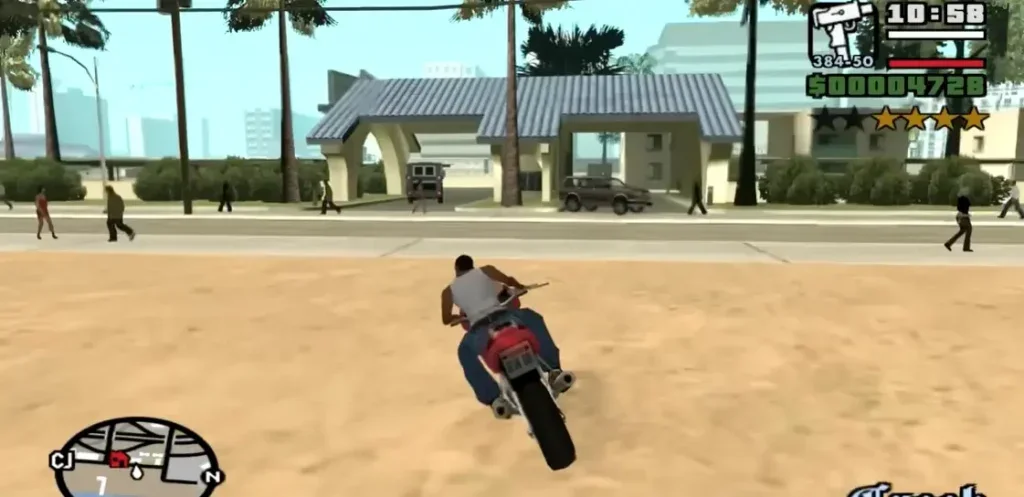
Features
Expansive Open-World Map
One of the standout aspects of GTA San Andreas PC is its enormous map, covering three major cities—Los Santos, San Fierro, and Las Venturas. Each city offers a unique atmosphere, from Los Santos’ gang culture to Las Venturas’ neon casinos. New players will love exploring every alley, mountain, and desert, uncovering secrets hidden across the state of San Andreas.
Compelling Storyline and Characters
The story follows Carl “CJ” Johnson as he returns to Los Santos to rebuild his family’s reputation. Players will encounter corrupt cops, rival gangs, and an unforgettable cast of characters. The engaging narrative combined with side missions makes the PC version feel like a full cinematic experience.
Enhanced Graphics and Performance
On PC, GTA San Andreas allows for improved resolution, frame rates, and customizable settings. Whether you want smoother textures or modded HD graphics, the PC platform ensures a more polished experience compared to consoles or mobile devices.
RPG-Style Progression
Unlike earlier GTA games, San Andreas introduces RPG-style elements. Players can improve CJ’s stamina, driving, shooting, and even fighting skills. You can also customize CJ’s appearance with hairstyles, tattoos, and outfits, making him feel like your own creation.
Massive Vehicle Selection
From bicycles and motorbikes to jets, tanks, and helicopters, the game offers a vast array of vehicles to drive. Each vehicle feels unique, and players can unlock more powerful rides as they progress. The PC controls make vehicle handling smoother and more enjoyable.
Variety of Side Activities
San Andreas isn’t just about missions it’s a complete world of activities. Players can gamble in casinos, dance in clubs, train at gyms, or even date NPCs. These mini-games provide a break from the main storyline while enriching the overall experience.
Gang Territory Wars
A unique feature in GTA San Andreas is the ability to take control of neighborhoods. By fighting rival gangs and expanding your turf, you strengthen CJ’s influence across Los Santos. This strategic element adds replay value and gives players a sense of ownership over the city.
Dynamic Soundtrack and Radio Stations
Driving around San Andreas is never boring thanks to its diverse in-game radio stations. From hip-hop and rock to country and funk, the soundtrack immerses players in the 1990s setting. On PC, you can even add your own custom music to the game.
Modding and Custom Content
The PC version shines because of its thriving modding community. Players can install mods to upgrade graphics, add new vehicles, or even create entirely new missions. This endless customization keeps the game fresh and relevant, even decades after release.
Endless Replayability
Between the main story, side quests, mini-games, and modding, GTA San Andreas PC offers endless replay value. Every playthrough feels different, ensuring players always discover something new.

How to Download GTA San Andreas on PC?
- Click the Download button on this page to safely get the latest PC build.
- Choose your platform (Windows recommended; Mac/Linux may also be available if listed).
- When prompted, Save the file to an easy location (e.g., Downloads or Desktop).
- If the file is a .zip (or .rar), right-click it and select Extract All… to a new folder.
- Open the extracted folder and double-click
GTA San Andreas PC.exeto launch. - If Windows SmartScreen appears, click More info → Run anyway (only proceed if you downloaded from the button on this page).
- Optional: right-click the .exe and choose Create shortcut to pin it to Start/Desktop.
- In Options/Settings, set fullscreen/windowed, audio levels, and keybinds (WASD/Arrows).
- For future updates, return to this page and click the Download button again, then replace your old game folder with the new one.
System Requirements
| Component | Minimum Requirements | Recommended Requirements |
|---|---|---|
| OS | Windows XP / 7 / 8 / 10 | Windows 10 / 11 |
| Processor | Intel Pentium III 1 GHz | Intel Core i3 or higher |
| RAM | 256 MB | 2 GB |
| Graphics Card | 64 MB DirectX 8.1 compatible | 512 MB DirectX 9 compatible |
| Storage | 4.7 GB free space | 5 GB free space |
| DirectX | Version 9.0 | Version 11 |
How to Play GTA San Andreas on PC?
Playing GTA San Andreas PC is straightforward yet endlessly fun. After installation, launch the game from your desktop or start menu. Use your keyboard for movement (WASD keys) and your mouse for precise aiming, driving, and combat. The controls are highly customizable, so you can adjust settings according to your comfort.
Whether you’re exploring neighborhoods, engaging in gang wars, or flying across San Andreas, the PC version ensures smooth performance. With mods, you can add HD textures, improve lighting, and enhance soundtracks to make your experience even more immersive.
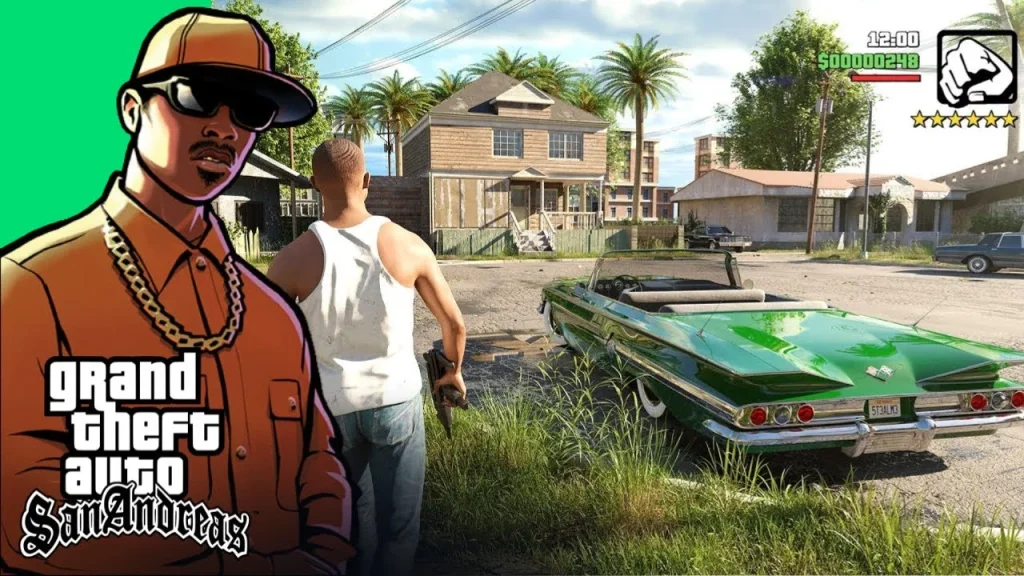
Why Play GTA San Andreas on PC?
The PC version of GTA San Andreas offers many advantages over other platforms. Enhanced graphics, fluid frame rates, and keyboard/mouse controls make gameplay more enjoyable and precise. Unlike mobile versions, you don’t have to worry about small screens or battery life.
Additionally, PC gaming allows multitasking, modding, and cross-platform save syncing for cloud-supported versions. For players looking for the most complete, customizable, and immersive way to experience CJ’s journey, the PC version is unmatched.
FAQs
Is GTA San Andreas free on PC?
No, GTA San Andreas is a premium game by Rockstar Games. However, it is often available at discounted prices on Steam or other platforms.
Can I play GTA San Andreas on Windows 10/11?
Yes, the PC version runs smoothly on Windows 10 and 11. You may need compatibility settings for older versions.
Does GTA San Andreas PC support mods?
Absolutely. The modding community is one of the game’s biggest strengths, offering thousands of mods for graphics, vehicles, and missions.
How much storage space do I need for GTA San Andreas PC?
You’ll need at least 5 GB of free space. With mods and expansions, plan for additional space.
Is GTA San Andreas PC version better than the mobile version?
Yes. The PC version offers better graphics, smoother controls, larger screen support, and extensive modding options.
Conclusion
GTA San Andreas PC remains one of the most iconic open-world games ever created. With its immersive storyline, massive open world, and endless customization through mods, the PC version is the best way to experience this classic. Click the Download button on this page to start your journey in Los Santos, San Fierro, and Las Venturas today.