Papa’s Freezeria Deluxe PC
Enjoy Papa’s Freezeria Deluxe PC! Serve custom ice creams, upgrade your shop, and master time-management fun with precision and creativity on your PC.
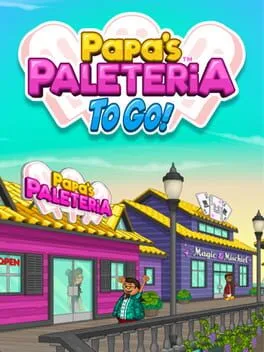
Casual simulation games have a timeless charm, and Papa’s Freezeria Deluxe is one of the most beloved entries in the genre. Developed by Flipline Studios, this Deluxe edition brings the classic ice-cream-shop experience to modern PC players with upgraded visuals, smoother controls, and expanded content. As part of the popular Papa Louie, the game has earned widespread popularity for its relaxing yet addictive gameplay loop.
The core idea is simple but incredibly engaging: you run an ice-cream shop, take customer orders, prepare sundaes exactly as requested, and keep everyone happy. What makes the game special is its attention to detail. Each order requires precision, timing, and multitasking, turning a simple dessert shop into a satisfying challenge. As days progress, customers become more demanding, unlocking new ingredients, tools, and recipes that keep gameplay fresh.
On PC, the Deluxe version truly shines. With a larger screen, keyboard and mouse controls, and no performance limitations, the experience feels smoother and more comfortable than ever. Whether you’re a longtime fan or discovering the series for the first time, now is the perfect moment to download Papa’s Freezeria Deluxe for PC using the button available on this page and enjoy one of the most relaxing time-management games on computer.
Features
Engaging Time-Management Gameplay
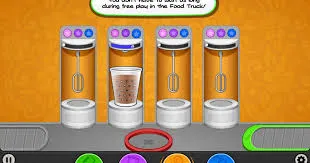
Papa’s Freezeria Deluxe PC challenges players to balance speed and accuracy while fulfilling ice cream orders. Each day introduces a stream of customers with unique preferences, requiring quick decision-making and careful attention to detail. The game teaches prioritization and multitasking, making it both fun and intellectually stimulating. Players must manage multiple orders simultaneously, ensuring that each customer gets exactly what they want while maximizing tips and maintaining high satisfaction levels. The gradual increase in difficulty keeps players engaged and encourages skill development.
Customizable Ice Cream Orders
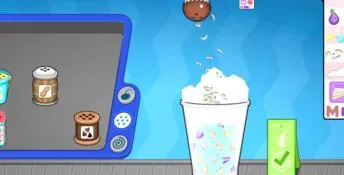
The game allows players to create fully customizable ice cream treats. Choose from a variety of ice cream flavors, cones, cups, and toppings, including sprinkles, syrups, fruits, and chocolates. Each customer has specific tastes, so players need to read orders carefully and craft treats to match. Precision is rewarded with higher tips and better customer satisfaction, while mistakes reduce earnings. This feature encourages creativity and experimentation, allowing players to mix and match ingredients to discover new combinations.
Shop Upgrades and Equipment
Players can upgrade their freezeria’s equipment to improve efficiency and handle more complex orders. Upgrades include faster mixers, larger freezers, advanced topping dispensers, and improved countertops. Investing in upgrades reduces preparation time and helps players serve more customers in less time. As the game progresses, the shop upgrades become crucial for maintaining high customer satisfaction and meeting the demands of a busy ice cream parlor. Equipment management adds a strategic layer to the gameplay, making every decision impactful.
Character Customization
Papa’s Freezeria Deluxe PC lets players customize their avatar and staff. Choose outfits, hairstyles, and accessories to create a personalized character that represents you in-game. Staff members can also be customized, and their appearance influences the shop’s aesthetics. This feature enhances the immersive experience and gives players a sense of ownership over their freezeria. Whether you prefer a casual, professional, or quirky style, customization options allow you to tailor your shop to your personality.
Decorations and Freezeria Themes
The game provides a wide range of shop decorations and themes to make your freezeria unique. From colorful banners and seasonal decorations to stylish countertops and floors, players can design a shop that reflects their creativity. Decorations not only improve the visual appeal but also attract more customers and increase overall satisfaction. Unlocking new decoration items adds a rewarding progression system, motivating players to complete challenges and earn in-game currency for aesthetic improvements.
Progressive Difficulty and Challenge
Each day in the game brings new challenges, from high-volume rush hours to customers with complex, multi-layered orders. The difficulty increases progressively, requiring players to enhance their speed, efficiency, and attention to detail. Special events, such as holiday-themed customers or VIP orders, add variety and excitement. This progressive system ensures that the game remains engaging over extended play sessions, encouraging players to develop strategies and improve their skills over time.
Customer Interaction and Satisfaction
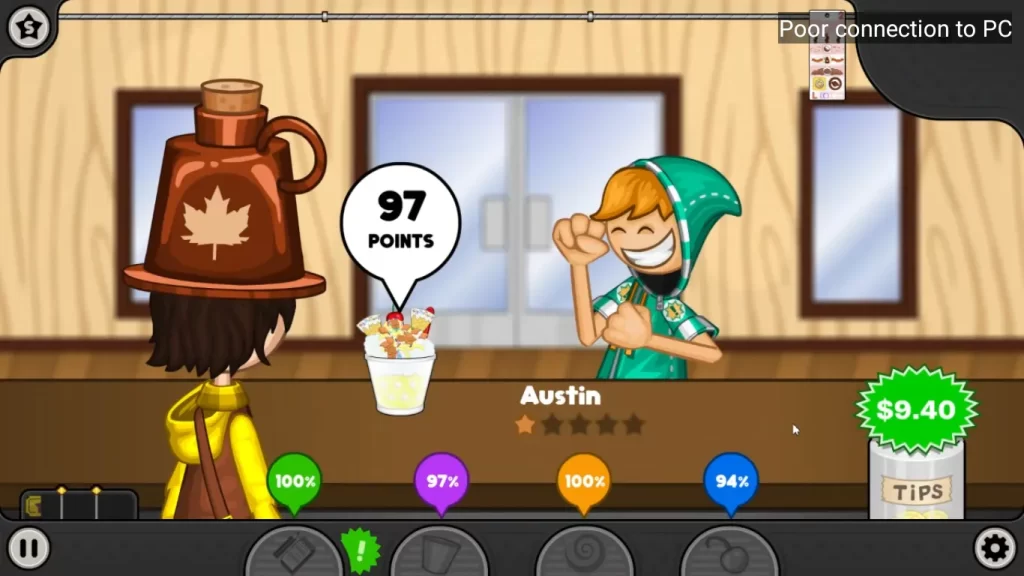
Customer satisfaction is central to Papa’s Freezeria Deluxe PC. Players must read orders carefully, manage wait times, and ensure precision in every ice cream creation. Happy customers give higher tips, unlock rewards, and provide positive feedback, while mistakes may lower your reputation and earnings. The game features expressive customer animations that communicate satisfaction levels, providing visual cues to help players adapt quickly. Effective customer management adds depth and realism to the gameplay experience.
Multiple Game Modes
Papa’s Freezeria Deluxe PC offers various game modes to cater to different playstyles. Players can enjoy the standard daily shop mode, where they progress through levels and unlock new content, or participate in special challenge modes that test speed, precision, and creativity. Some modes introduce time limits or complex orders, providing additional replayability and a way for players to refine their skills. This variety ensures that both casual and dedicated players can enjoy the game at their own pace.
High-Quality Graphics and Sound
The PC version features vibrant, colorful graphics that bring the ice cream shop to life. From realistic ice cream textures to animated customer reactions, the visual details enhance the immersive experience. Complementing the graphics is a catchy soundtrack and dynamic sound effects, such as the clinking of scoops or the hum of machines, which create a lively atmosphere. High-quality visuals and sound not only make the game enjoyable but also provide visual feedback that helps players track order progress and customer satisfaction effectively.
Safe and Easy Download on PC
Papa’s Freezeria Deluxe PC is easy to install and play. Users can safely download the game via the download button on this page, ensuring a secure and reliable installation. Once installed, the game supports both keyboard and mouse controls, offering precision and comfort during gameplay. The PC version also supports offline play, so you can enjoy your freezeria anytime without worrying about internet connectivity. These features make the PC version accessible to a wide range of players, from casual gamers to devoted time-management enthusiasts.
How to Download Papa’s Freezeria Deluxe on PC?
- Click the Download button on this page to safely get the latest PC build.
- Choose your platform (Windows recommended; Mac/Linux may also be available if listed).
- When prompted, Save the file to an easy location (e.g., Downloads or Desktop).
- If the file is a .zip (or .rar), right-click it and select Extract All… to a new folder.
- Open the extracted folder and double-click
Papa's Freezeria Deluxe PC.exeto launch. - If Windows SmartScreen appears, click More info → Run anyway (only proceed if you downloaded from the button on this page).
- Optional: right-click the .exe and choose Create shortcut to pin it to Start/Desktop.
- In Options/Settings, set fullscreen/windowed, audio levels, and keybinds (WASD/Arrows).
System Requirements
| Requirement | Minimum | Recommended |
|---|---|---|
| OS | Windows 7 | Windows 10 / 11 |
| Processor | Intel Core i3 | Intel Core i5 |
| RAM | 4 GB | 8 GB |
| Graphics | Integrated GPU | Dedicated GPU |
| Storage | 2 GB available | 2 GB SSD |
| DirectX | Version 10 | Version 11 |
How to Play Papa’s Freezeria Deluxe on PC?
Playing Papa’s Freezeria Deluxe on PC is easy and fun, whether you’re a casual gamer or a dedicated ice cream shop manager. Start by launching the game after downloading and installing it via the safe download button on this page. You’ll begin your first day as a freezeria manager, taking customer orders and preparing frozen treats according to their preferences. Use your keyboard and mouse for precise control: click to select ingredients, drag toppings, and pour ice cream into cones or cups. Each day introduces new customers with unique requests, so speed and accuracy are key to earning tips and improving your score.
As you progress, you can upgrade equipment like mixers, freezers, and topping dispensers to handle more orders efficiently. Customize your freezeria’s counters and decorations to attract more customers and boost satisfaction. Pay attention to the customer satisfaction meter, as happy customers give better tips and unlock rewards. Balancing speed, accuracy, and creativity is crucial. The PC version also allows you to pause, save, and revisit your progress, making it convenient to play in short bursts or long sessions. With practice, you can master complex orders and grow your freezeria into the ultimate ice cream hotspot.
Why Play Papa’s Freezeria Deluxe on PC?
Playing Papa’s Freezeria Deluxe on PC offers a vastly improved experience compared to mobile or browser versions. On a PC, gamers enjoy larger screens that showcase the colorful, vibrant graphics in full detail, making ice cream creations and shop designs more immersive. Keyboard and mouse controls provide greater precision when handling orders, dragging toppings, and preparing custom desserts, giving you a smoother and more responsive gameplay experience. Unlike mobile devices, your PC won’t run out of battery mid-session, allowing uninterrupted hours of fun and strategy.
Moreover, the PC version supports cross-platform progress syncing and easy file backups, ensuring that your game progress, unlocked recipes, and decorated freezeria are safely stored. Multitasking is easier on PC as players can manage the game while referencing guides, tutorials, or music playlists in the background. Whether you’re a casual gamer or a dedicated freezeria manager, playing on PC enhances the overall control, visibility, and longevity of your ice cream adventures.
FAQs
Can I play Papa’s Freezeria Deluxe on PC without internet?
Yes, the PC version supports offline play. Once downloaded and installed via the safe download button on this page, you can enjoy all levels and features without needing an active internet connection. Internet is only required for updates or linking with online leaderboards.
What are the system requirements for Papa’s Freezeria Deluxe PC?
The game is lightweight and runs on most modern PCs. Minimum requirements include Windows 7/8/10, 2GB RAM, 500MB free storage, and a DirectX 9 compatible graphics card. Recommended specs include 4GB RAM and an updated GPU for smoother gameplay.
Can I save my progress in Papa’s Freezeria Deluxe PC?
Absolutely. The game autosaves after each day in your freezeria. You can also manually save your progress to ensure you never lose your custom orders, earned tips, or upgraded equipment.
Are there any cheats or mods available for the PC version?
While the PC version supports mods created by the community, official cheats are not included. Mods can add new flavors, challenges, or visual enhancements but should be downloaded cautiously from trusted sources.
How do I customize my freezeria in Papa’s Freezeria Deluxe on PC?
Players can customize counters, decorations, and even the appearance of their staff. Upgrades and decorations unlock as you progress through days and earn money, allowing full creative control over your ice cream shop environment.
Conclusion
Papa’s Freezeria Deluxe PC delivers an engaging, family-friendly time-management experience with smooth controls, charming graphics, and endless ice cream combinations. Its PC version offers superior performance, larger screens, and precision keyboard/mouse gameplay for optimal fun. With offline play, customizable shops, and progressive unlocks, players of all ages can enjoy building their ultimate freezeria. Don’t wait click the download button on this page to start crafting your frozen masterpieces safely and instantly. Experience the ultimate ice cream adventure on your computer today!