Rise of Kingdoms PC
Play Rise of Kingdoms PC and build your empire. Lead armies, expand civilizations, manage resources, and dominate epic real-time strategy battles.
Rise of Kingdoms PC is a free-to-play real-time strategy game developed by Lilith Games, renowned for its engaging gameplay, rich historical civilizations, and visually stunning graphics. Since its release, the game has attracted millions of players worldwide, earning a reputation as one of the most immersive mobile strategy titles. Its transition to PC offers gamers enhanced performance, larger screens, and precise keyboard and mouse controls, allowing a deeper and more comfortable strategic experience. Players can explore vast maps, develop thriving cities, and lead armies into epic battles, all from the convenience of their computer.
In the game, players begin with a small settlement and gradually expand it into a powerful kingdom. Choosing a civilization is crucial, as each offers unique units, technologies, and advantages that influence your strategy. Resource management, city development, and technological upgrades are essential to building a thriving empire. Players also recruit historical commanders, such as Julius Caesar, Joan of Arc, and Sun Tzu, each with unique skills that influence combat and exploration. Real-time PvP battles and strategic alliances add a competitive edge, allowing players to form guilds, coordinate attacks, and vie for dominance on a global map.
What makes Rise of Kingdoms PC stand out is its blend of strategic depth and accessibility. Casual players can enjoy building and exploring their kingdoms, while competitive gamers can dive into massive multiplayer battles and alliance wars. The PC version offers enhanced graphics, smoother performance, and responsive controls, making the experience more immersive and enjoyable. With ongoing events, challenges, and rewards, the game provides endless opportunities for growth and mastery. For strategy enthusiasts and newcomers alike, now is the perfect time to download Rise of Kingdoms PC and begin building a kingdom that stands the test of time.

Features
Real-Time Strategy Gameplay
Rise of Kingdoms PC is its real-time strategy gameplay, which challenges players to make tactical decisions on the fly. You must manage resources, build your city, train armies, and plan attacks while your opponents are simultaneously expanding their kingdoms. The real-time element adds excitement and tension, as battles and city growth happen continuously, requiring constant attention and strategic thinking.
Multiple Civilizations to Choose From
Players can select from 11 distinct civilizations, each with unique strengths, units, and technologies. From the Romans to the Chinese, these civilizations impact gameplay style, unit specialization, and research bonuses. Choosing a civilization that fits your preferred strategy is key to gaining early advantages and progressing faster in the game.
City Building and Resource Management
Developing a thriving kingdom requires careful planning of your city layout and resource allocation. Players construct buildings, upgrade infrastructure, and produce resources like food, wood, stone, and gold. Efficient resource management ensures a steady flow of materials for army training and technological advancement. The PC version enhances visibility, allowing players to monitor city production and plan upgrades effectively.
Heroes and Commanders System
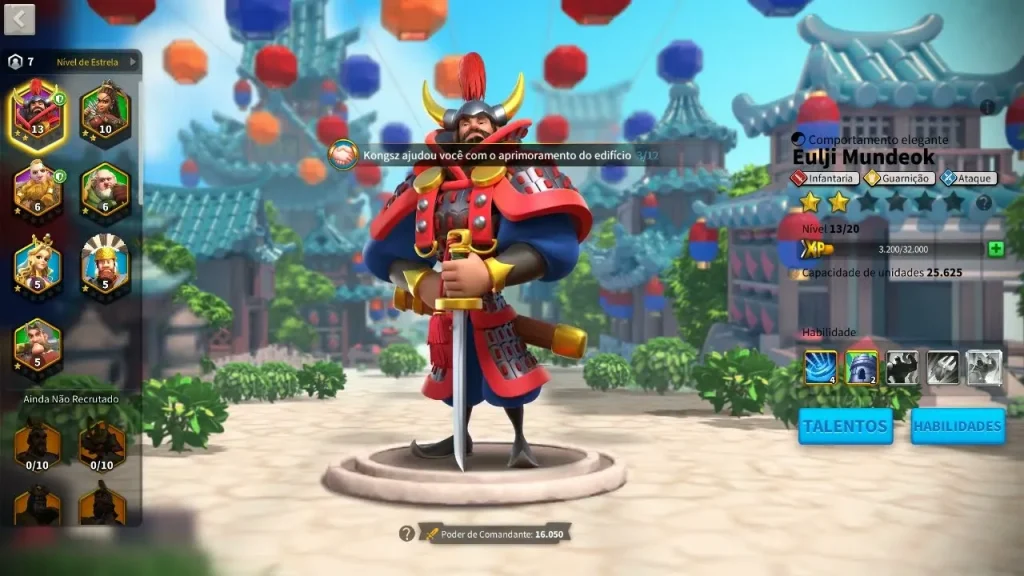
Commanders are central to military success. Players recruit historical heroes such as Julius Caesar, Sun Tzu, and Joan of Arc, each with unique skills and talents. Upgrading commanders’ levels, skills, and equipment strengthens armies and boosts battlefield performance. Commanders can lead specialized troops, giving strategic depth to battles and rewarding players who carefully develop their leadership roster.
Alliance and Guild System
Forming alliances with other players is crucial for success. Alliances provide shared resources, coordinated defense, and group attacks on enemy territories. Guild members can strategize together for large-scale battles and events. The social aspect encourages collaboration and long-term engagement, making alliances a vital component of gameplay.
Epic Player vs. Player Battles
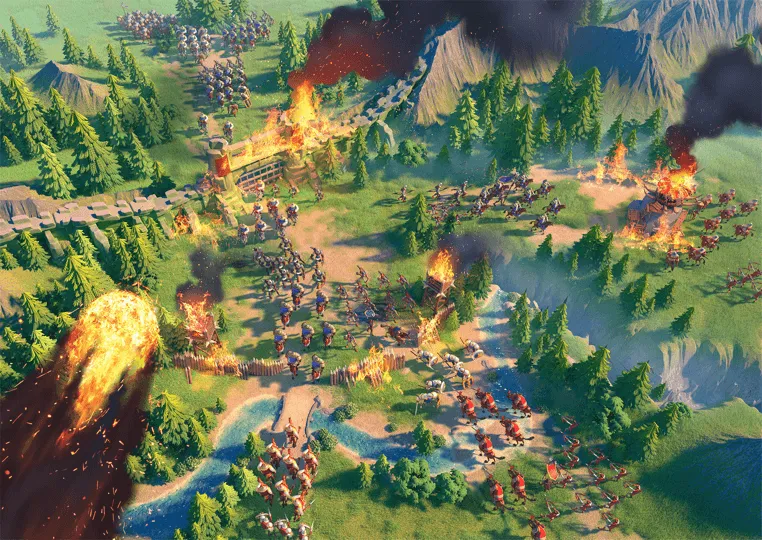
The game offers large-scale real-time PvP battles where players compete for control of territories, resources, and glory. Tactical positioning, troop composition, and timing are critical to winning battles. PC controls and a larger screen allow precise troop movements and efficient management during high-stakes conflicts. Winning PvP battles rewards resources, ranking points, and prestige.
Exploration and Strategic Map
The expansive world map is filled with uncharted territories, resource points, and enemy camps. Players send scouts to uncover the map, locate resources, and plan attacks. Strategic positioning and knowledge of enemy movements are crucial for survival and expansion. Exploration also reveals events, hidden treasures, and other opportunities that reward careful planning.
Timed Events and Challenges
Special events, including seasonal campaigns, quests, and challenges, provide unique rewards such as exclusive commanders, resources, and city upgrades. Participation in timed events keeps gameplay dynamic, encouraging players to return regularly. These events introduce additional layers of strategy and competitive opportunities beyond the main campaign.
Dynamic Weather and Environment
The PC version includes detailed visuals of different terrains, climates, and day-night cycles. Environmental factors influence visibility, troop movement, and battle outcomes. Players must adapt strategies according to terrain advantages and obstacles, adding realism and depth to the game. This attention to environmental detail enhances immersion and strategic thinking.
PC Optimization and Mod Support
The PC version offers smoother performance, higher frame rates, and optimized controls compared to mobile. Keyboard and mouse support improves precision for city management and battlefield commands. Additionally, modding support allows players to customize visuals, interface, and gameplay mechanics, increasing replayability and personalization. This flexibility makes the PC version appealing to both casual and hardcore strategy gamers.
How to Download Rise of Kingdoms on PC?
- Click the Download button on this page to safely get the latest PC build.
- Choose your platform (Windows recommended; Mac/Linux may also be available if listed).
- When prompted, Save the file to an easy location (e.g., Downloads or Desktop).
- If the file is a .zip (or .rar), right-click it and select Extract All… to a new folder.
- Open the extracted folder and double-click
Rise of Kingdoms PC.exeto launch. - If Windows SmartScreen appears, click More info → Run anyway (only proceed if you downloaded from the button on this page).
- Optional: right-click the .exe and choose Create shortcut to pin it to Start/Desktop.
- In Options/Settings, set fullscreen/windowed, audio levels, and keybinds (WASD/Arrows).
System Requirements
| Specification | Minimum | Recommended |
|---|---|---|
| OS | Windows 10 (64-bit) | Windows 11 (64-bit) |
| Processor | Intel Core i3-8100 / AMD Ryzen 3 1200 | Intel Core i5-9400 / AMD Ryzen 5 3600 |
| RAM | 4 GB | 8 GB |
| Graphics | Intel UHD 620 / NVIDIA GeForce 710 | NVIDIA GeForce GTX 1050 / AMD Radeon RX 560 |
| Storage | 5 GB | 10 GB |
| DirectX | Version 11 | Version 12 |
| Sound Card | DirectSound compatible | DirectSound compatible |
How to Play Rise of Kingdoms on PC?
Playing Rise of Kingdoms PC version requires both strategic planning and real-time decision-making. Begin by choosing a civilization that suits your playstyle, as each offers unique strengths, units, and bonuses. Start building your city by constructing essential structures such as farms, barracks, and resource centers. Manage resources carefully to maintain a steady flow of food, wood, stone, and gold. Train and upgrade your army, and assign commanders with unique skills to lead your troops into battle. The PC version provides precise controls via keyboard and mouse, making it easier to manage multiple tasks simultaneously.
Exploration and map awareness are critical for success. Send scouts to uncover surrounding territories, gather intelligence on enemies, and locate resource points. Join an alliance to gain support from other players for coordinated attacks and defense. Participate in events and challenges to earn rewards, and continuously upgrade your city and troops. The larger screen and enhanced graphics of the PC version allow for better visibility of the battlefield and world map, improving strategic planning and immersion.
Why Play Rise of Kingdoms on PC?
The PC version offers enhanced graphics, higher frame rates, and smoother gameplay compared to mobile devices. Larger screens allow players to view the world map, cities, and battlefields in greater detail, improving strategic decision-making. Keyboard and mouse controls offer precise troop deployment and efficient city management. Unlike mobile devices, PC gameplay eliminates battery concerns, allowing for extended gaming sessions without interruption.
Cross-platform progress syncing ensures that your game progress and achievements are saved across devices, enabling seamless gameplay whether you switch between PC and mobile. PC also supports mods and customization options for visuals and interface, giving players the ability to tailor their gaming experience. Overall, playing Rise of Kingdoms PC version offers superior control, flexibility, and a more immersive real-time strategy experience for both casual and hardcore players.
FAQs
Can I play Rise of Kingdoms on a low-end PC?
Yes, the game runs on PCs that meet minimum system requirements. Lowering graphics settings can help maintain smooth performance.
How is the PC version different from mobile?
The PC version provides enhanced graphics, larger screens, precise keyboard/mouse controls, and modding capabilities for improved gameplay and visuals.
Can I play multiplayer on PC?
Absolutely. Players can join alliances, coordinate with guilds, and engage in large-scale real-time PvP battles globally.
How long does it take to progress in the game?
Progress depends on strategy and playtime. Completing quests, upgrading buildings, and participating in events accelerate growth, while careful planning increases efficiency.
Is it safe to download Rise of Kingdoms PC version?
Yes, the download button on this page provides a secure installation, ensuring players can enjoy the game safely without malware or viruses.
Conclusion
Rise of Kingdoms PC offers an immersive real-time strategy experience with city building, resource management, and epic PvP battles. Enhanced graphics, keyboard/mouse controls, and cross-platform progress make the PC version ideal for strategic gameplay. Join alliances, expand your civilization, and lead your troops to victory. Click the download button on this page to play Rise of Kingdoms on your computer today and experience one of the most engaging free-to-play strategy games available.