Punishing: Gray Raven PC
Play Punishing: Gray Raven PC with stunning graphics, smooth controls, and synced progress. Download now and enjoy action RPG combat on a bigger screen.
Punishing: Gray Raven, often abbreviated as PGR, is one of the most visually stunning and fast-paced action RPGs to arrive in the mobile gaming world. Developed by Kuro Game, the title has quickly built a massive global fanbase thanks to its fluid hack-and-slash combat, breathtaking anime-style visuals, and deep storyline set in a post-apocalyptic cyberpunk universe. While originally released for Android and iOS, thousands of players now want to experience Punishing: Gray Raven PC because the game truly shines on a bigger screen with high FPS and precise keyboard/mouse control.
In the world of Punishing: Gray Raven, you take on the role of the Commandant, leading powerful cyborg soldiers known as Constructs like Lucia, Liv, Lee, Bianca, Karenina, and others. Your mission? Reclaim Earth from a biomechanical virus known as “The Punishing.” With every battle, players unlock new characters, special moves, and stylish combo chains that feel even more immersive when played on PC. The game blends intense combat with a gacha-based character system, endgame challenges like War Zone and Phantom Pain Cage, and cooperative multiplayer content.
With millions of downloads worldwide and top ratings on app stores, Punishing: Gray Raven is now considered one of the best free-to-play anime action games ever made. But if you truly want to enjoy ultra-smooth 60 FPS gameplay, enhanced graphics, and zero performance or battery limitations, then playing Punishing: Gray Raven on computer is the ultimate way to experience the game. In this guide, you’ll learn how to download Punishing: Gray Raven for PC, system requirements, key features, FAQs, and why the PC version is a game-changer for both beginners and veterans.
Features
High-Speed Hack-and-Slash Combat
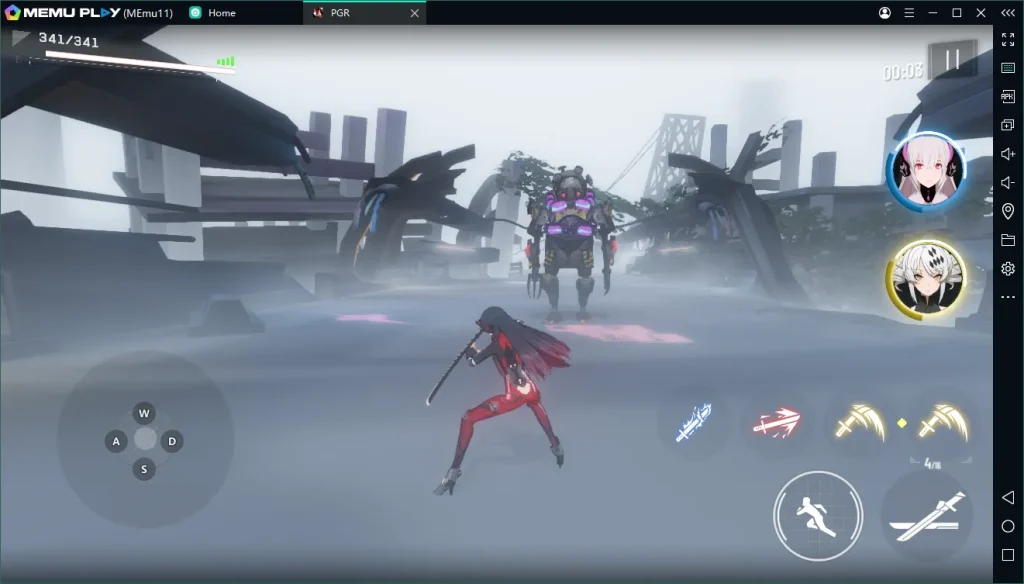
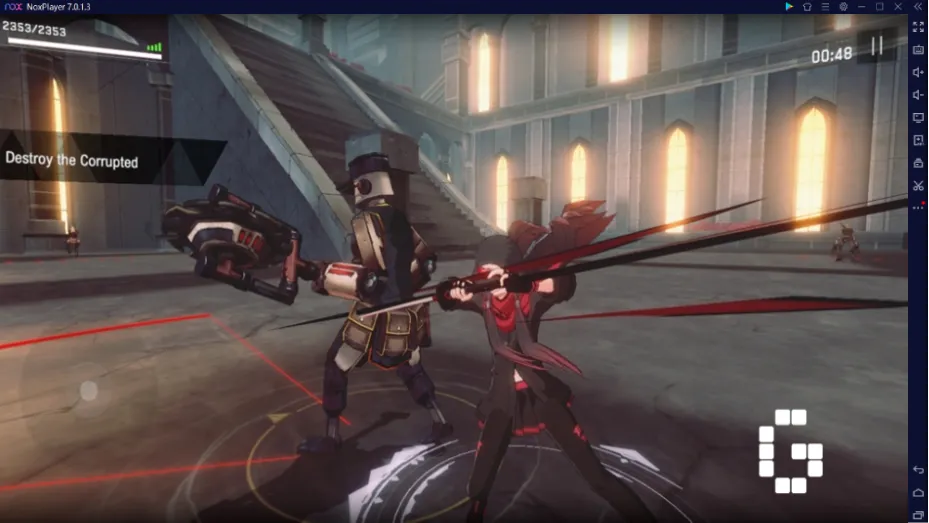
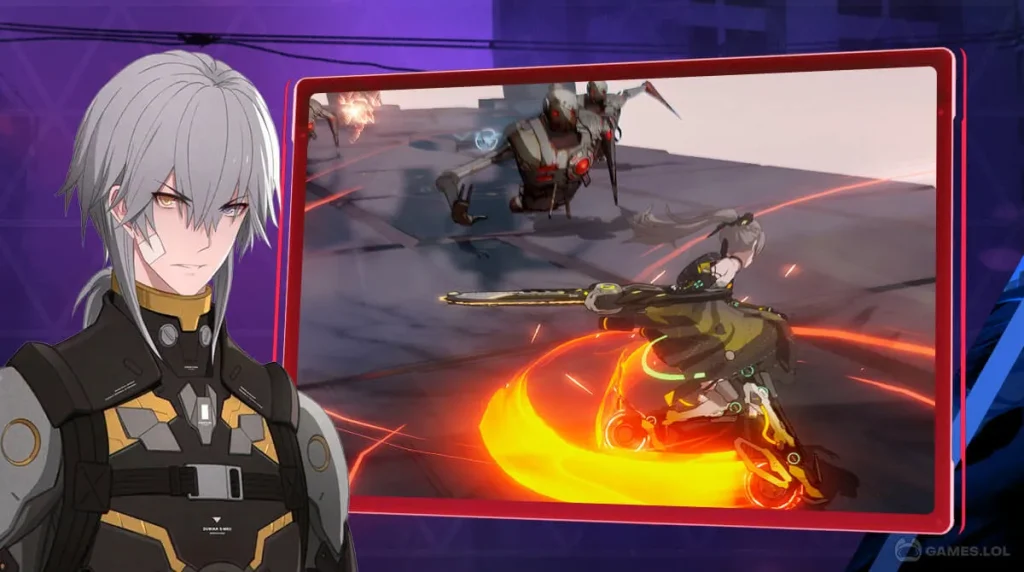
Punishing: Gray Raven PC delivers lightning-fast action combat where every move, dodge, and attack matters. Unlike turn-based RPGs, this game lets you execute real-time combos, perfect dodges, and ultimate skills, making the gameplay feel like Devil May Cry crossed with anime cyber-combat. On PC, the precision of keyboard and mouse enhances combat even more.
Stunning Anime Cyberpunk Graphics
Set in a post-apocalyptic future, the game features beautifully designed characters, neon-lit environments, and fluid animations. Playing Punishing: Gray Raven on PC allows gamers to enjoy full HD and 60+ FPS visuals, making every attack effect and cinematic cutscene even more immersive.
Deep Character System (Constructs & Classes)
Each character, known as a Construct, has unique weapons, roles, and skills. Players can build teams based on DPS, Support, and Tank classes. Characters like Lucia, Liv, Bianca, Vera, and Lee come with multiple Signature Frames for advanced builds.
Gacha System with Fair Pull Rates
The game includes a gacha system where players can unlock new characters and weapons. Unlike many RNG-heavy games, PGR offers pity systems, free pulls, and frequent banners especially during events.
Engaging Story and Lore
Punishing: Gray Raven has a surprisingly emotional and cinematic storyline divided into chapters. Players explore humanity’s fight for survival against the Punishing Virus while uncovering dark truths about the Constructs.
Endgame Modes: War Zone & Phantom Pain Cage
After completing the main story, players can dive into high-challenge modes like War Zone, PPC, Guild Raids, and Co-op Missions, all of which reward high-tier materials.
Customizable Combat Loadouts
Every Construct can be upgraded with Memory Cards, weapons, and skill trees. This allows deep customization, letting players create damage-focused or support-oriented builds.
Frequent Events & Limited Banners
PGR is known for constant seasonal updates, anniversary events, new story arcs, and time-limited characters keeping the game active and rewarding for long-term players.
Controller and PC Compatibility
Playing with a controller or full keyboard mapping makes the combat smoother than on touchscreen. The PC version removes mobile lag, overheating, and limited space issues.
Completely Free-to-Play Friendly
Despite its premium style, Punishing: Gray Raven can be fully enjoyed without spending real money. Almost every top-tier character can be unlocked through grinding and events.
How to Download Punishing: Gray Raven on PC?
- Click the Download button on this page to safely get the latest PC build.
- Choose your platform (Windows recommended; Mac/Linux may also be available if listed).
- When prompted, Save the file to an easy location (e.g., Downloads or Desktop).
- If the file is a .zip (or .rar), right-click it and select Extract All… to a new folder.
- Open the extracted folder and double-click
Punishing: Gray Raven PC.exeto launch. - If Windows SmartScreen appears, click More info → Run anyway (only proceed if you downloaded from the button on this page).
- Optional: right-click the .exe and choose Create shortcut to pin it to Start/Desktop.
- In Options/Settings, set fullscreen/windowed, audio levels, and keybinds (WASD/Arrows).
System Requirements
| Component | Minimum Requirements | Recommended Requirements |
|---|---|---|
| OS | Windows 7 / 8 / 10 (64-bit) | Windows 10 / 11 (64-bit) |
| CPU | Intel Core i3 or AMD equivalent | Intel Core i5 / i7 or Ryzen 5+ |
| RAM | 4 GB | 8 GB or higher |
| GPU | Intel HD Graphics 4000 | NVIDIA GTX 1050 / AMD RX 560 or better |
| Storage | 10 GB Free Space | 15 GB SSD storage |
| DirectX | Version 11 | Version 11 or higher |
| Internet | Required | Required |
How to Play Punishing: Gray Raven on PC?
Once you’ve successfully installed Punishing: Gray Raven on PC, launch the game and sign in with the same account you use on mobile (Google, Facebook, or guest). This allows you to sync your progress instantly so you can continue where you left off. The PC version gives you access to customizable controls, meaning you can assign movement keys, attack combos, dodges, and ultimate skills to your keyboard and mouse. This results in smoother gameplay and faster response times especially useful for perfect dodges and high-combo battles.
You can also enable high-performance mode to enjoy 60+ FPS, ultra-HD graphics, and enhanced visual effects that mobile devices often struggle to handle. If you prefer a console experience, simply connect a controller such as an Xbox or PlayStation gamepad. You’ll also be able to multitask while playing switch screens, stream, or chat without interrupting gameplay. With a bigger screen, better resolution, and zero battery limitations, playing Punishing: Gray Raven on computer feels like a full console-quality action RPG experience.
Why Play Punishing: Gray Raven on PC?
Playing Punishing: Gray Raven on PC offers a massive upgrade in performance and comfort. Instead of dealing with overheating phones, small touch screens, or low battery warnings, the PC version lets you enjoy smooth combat, full HD graphics, and 60+ FPS gameplay without interruption. Keyboard and mouse controls allow faster reaction times, making dodging, combo linking, and boss fights much easier than on touchscreen.
Another major advantage is cloud progress syncing you can switch between mobile and PC anytime without losing your account or items. The larger screen also gives a cinematic experience, making cutscenes, character designs, and special effects look stunning. Whether you’re grinding events, managing builds, or streaming gameplay, PC offers more control, power, and multitasking freedom.
FAQs
Is Punishing: Gray Raven available as an official PC version?
There is no standalone Windows version yet, but you can play it smoothly on PC using an optimized client or emulator, with full account syncing and high-performance settings.
Can I transfer my mobile progress to PC?
Yes. Simply log in with the same account you use on mobile (Google, Facebook, Twitter, etc.) and your progress, purchases, and characters will sync automatically.
Do I need a high-end PC to play Punishing: Gray Raven?
No. The game runs on low-spec PCs as well, but for ultra settings, 60 FPS, and HD graphics, an i5 CPU and mid-range GPU are recommended.
Does the game support controllers on PC?
Yes. Punishing: Gray Raven fully supports gamepads like Xbox, PlayStation, and other USB controllers perfect for players who prefer console-style combat.
Is Punishing: Gray Raven free to download on PC?
Yes, the game remains 100% free to play on PC. All in-game purchases are optional and purely cosmetic or progression-based.trollers are fully supported if you prefer console-style combat.
Conclusion
Punishing: Gray Raven is one of the most stylish action RPGs available today, and playing it on PC unlocks the best visuals, smooth FPS, and precise controls. Whether you’re a new player or a hardcore Commandant, the PC version gives you the most optimized experience with no lag, no overheating, and full HD gameplay. Follow the steps in this guide, check the system requirements, and click the Download Button on this page to get started instantly. Upgrade your gameplay lead your Constructs and fight the Punishing Virus in the most powerful way possible!